Discuss! Plugin: Little Ant Google Quick Login
Xiaoyi Google Quick Login is a Discuz app developed by Fujian Xiaoyi Network Technology Co., Ltd. This third-party login plugin allows users to log in with one click using their Google account, automatically register, bind, and unbind forum accounts. Based on the Google OAuth 2.0 authorization mechanism, it supports multilingual interfaces, proxy connections, login logs, security checks, and button style customization without modifying the forum's core files, making it suitable for overseas users and international communities.
1. What does this plugin do?
After installation, a "Log in with Google" button will appear on the forum's login and registration pages.
Overseas visitors can access the forum with just one click using their Google account, without having to fill out the registration form again:
- First time logging in with Google: Automatically register a new forum account for him (username and email address are automatically provided, you can change them yourself).
- Already registered on the forum: Ask him to choose between "Link to my original account" or "Create a new account".
- Come back later: Click to log in, and it will directly match your linked forum account.
Members can unlink or change their account at any time in "Settings - Account & Security - Google Account".
II. Benefits for website owners
1. No need to modify any program files on the forum; everything in the plugin is in its own directory, and it can be uninstalled cleanly.
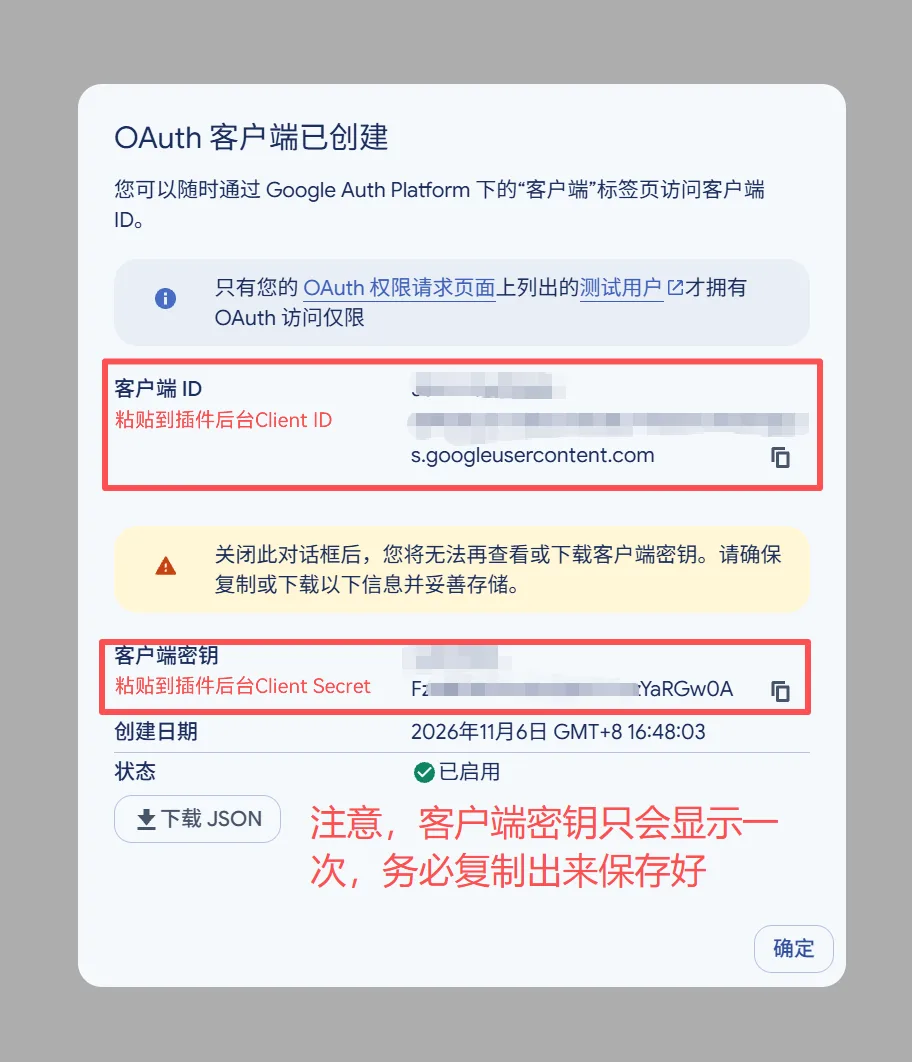
2. The keys (Client ID and Client Secret) are encrypted and stored in the database. They are only displayed as an asterisk in the background, and others cannot see the original text.
3. Every step is verified to prevent forgery and reuse. Others cannot impersonate logged-in users by splicing URLs, nor can they log in with links that others have used.
4. If the domestic server cannot connect to Google, you can configure a separate proxy for this plugin in the background and click "Test Connectivity" to see if it works. There is no need to change the site-wide configuration.
5. The error is no longer an "unknown error". There is a log page in the backend that lists the step at which each login is stuck (authorization revoked, inability to connect to Google, duplicate username, etc.) for easy self-checking; The log does not record the member's email address and login token.
6. The interface is available in four languages: Simplified Chinese, Traditional Chinese, Korean, and English. You can automatically switch between them according to the forum template or specify one in the backend. Google's official buttons are also available in these languages.
7. Button size, color, and style can be adjusted in the background, and the effect can be previewed in real time, eliminating the need to refresh the page and try repeatedly.
8. When uninstalling, you will be asked if you want to delete the bound data together. If you want to reinstall it in the future, choose to keep it; the data won't be lost.
III. What do I need to prepare?
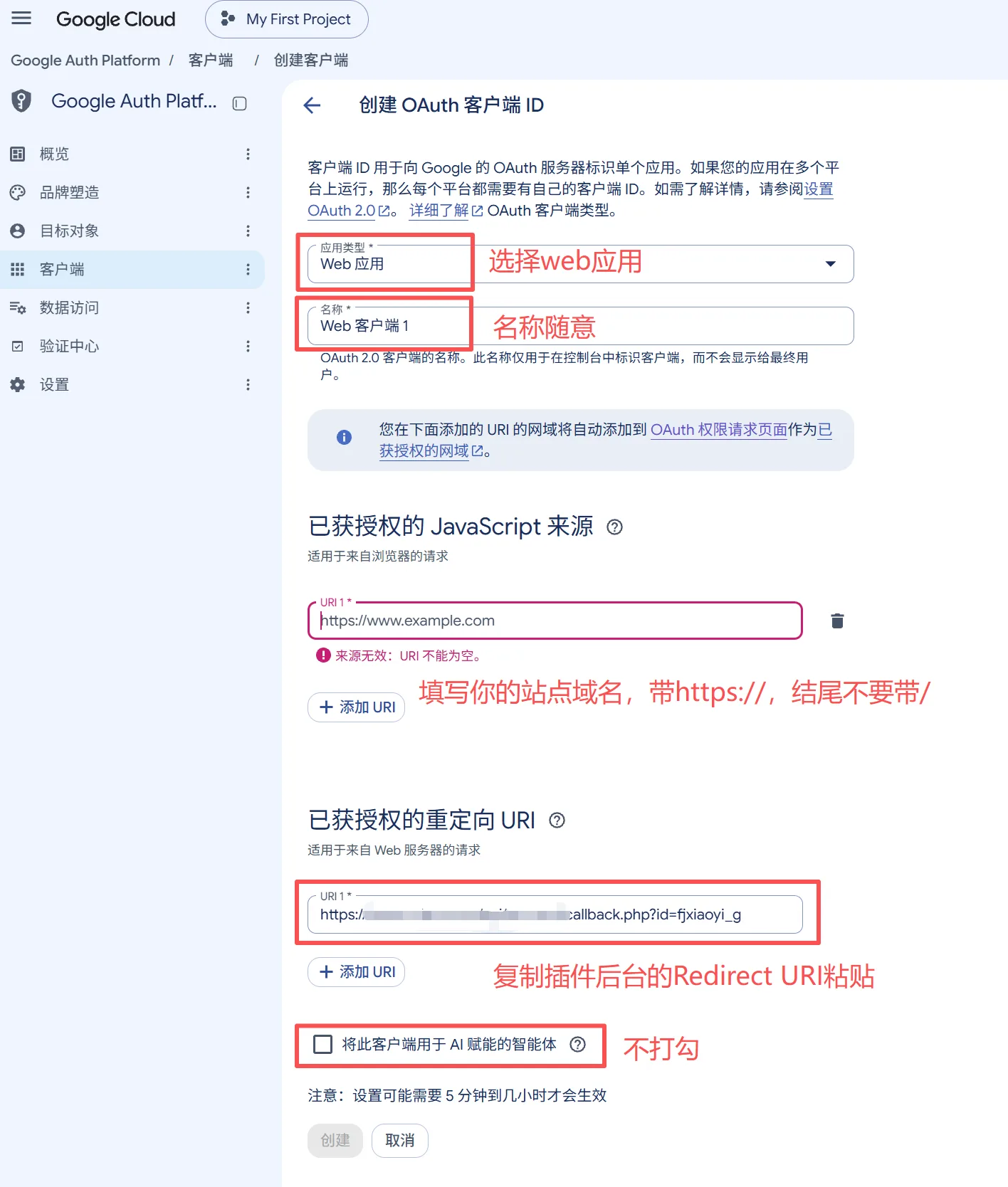
- Create a Google Cloud Platform account, create a "Web application" type OAuth Client within it, and obtain the Client ID and Client Secret (this step has a process in Google's official documentation, and it's free).
- Your server must be able to access Google. If you can't access it, you'll need a proxy address that can connect to Google.
• Forums must be UTF-8 encoded.
IV. Situations where it is not supported
• GBK, Big5 encoded forums are not supported.
• Discuz is not supported! X3.3 and earlier, X2 series.
- If the server cannot connect to Google and no proxy is configured, the button will display "Cannot connect to Google" and the function will not work (this is not a plugin malfunction, but a network problem).
- Google Login is only responsible for "login and registration" and does not perform other functions such as forum content, points, or advertising.
Little Ant Google Quick Login v1.0 Update Log
Supported versions: Discuss! X3.4 / X3.5 / X5.0 / X5.1 (X3, X5 (Standalone installation package)
I. Function Updates
-
Supports one-click login, automatic registration, account binding, account change, and account unbinding for Google accounts.
-
Optimize the binding process for existing forum accounts, allowing first-time logins to choose to bind an existing account or register a new account.
-
It supports automatic retrieval of Google email addresses and allows users to modify them during registration.
-
Optimize the username duplication processing mechanism to automatically retry or guide users to manually set their username and email address.
-
A new backend login log has been added to facilitate troubleshooting abnormalities in authorization, network, and account binding.
-
Added independent agent configuration and connection testing functions.
-
Supports Simplified Chinese, Traditional Chinese, Korean, and English.
-
[X3] Added a top quick login circular icon style, supporting custom size and color scheme.
-
【X3】Supports setting the display status of the PC and mobile login entrances separately.
II. Problem Repair and Optimization
-
[X3] Fixed the issue where the circular login icon was not displayed in some preview scenarios.
-
[X3] Optimized plugin uninstallation process, supporting the choice of retaining or clearing account binding data.
-
[General] Optimized server environment detection to be compatible with environments where cURL is not installed but network components are available.
-
[General] Optimize the foreground style cache update mechanism.
-
[General] Optimize background configuration saving logic to reduce duplicate database operations.
-
[X5] Fixed a configuration override issue that may occur when used concurrently with other third-party login plugins.
-
[X5] Optimize network request compatibility and add backup handling methods in abnormal environments.
-
[General] Improve OAuth login security verification, key encryption storage, and exception handling mechanisms.
III. Update Instructions
-
This time, the version number remains v1.0, which overwrites the corresponding version of the plugin file; there is no need to re-import and install the XML.
-
After the update, it is recommended to go to the background "Tools → Update Cache" to refresh the cache.
-
It is recommended to back up the plugin files and related data before the official update.
IV. Compatibility Description
-
Support Discuz! X3.4, X3.5, X5.0, X5.1.
-
Only UTF-8 encoding is supported; GBK and Big5 are not supported.
-
The server needs to be able to access Google services directly or through a proxy.
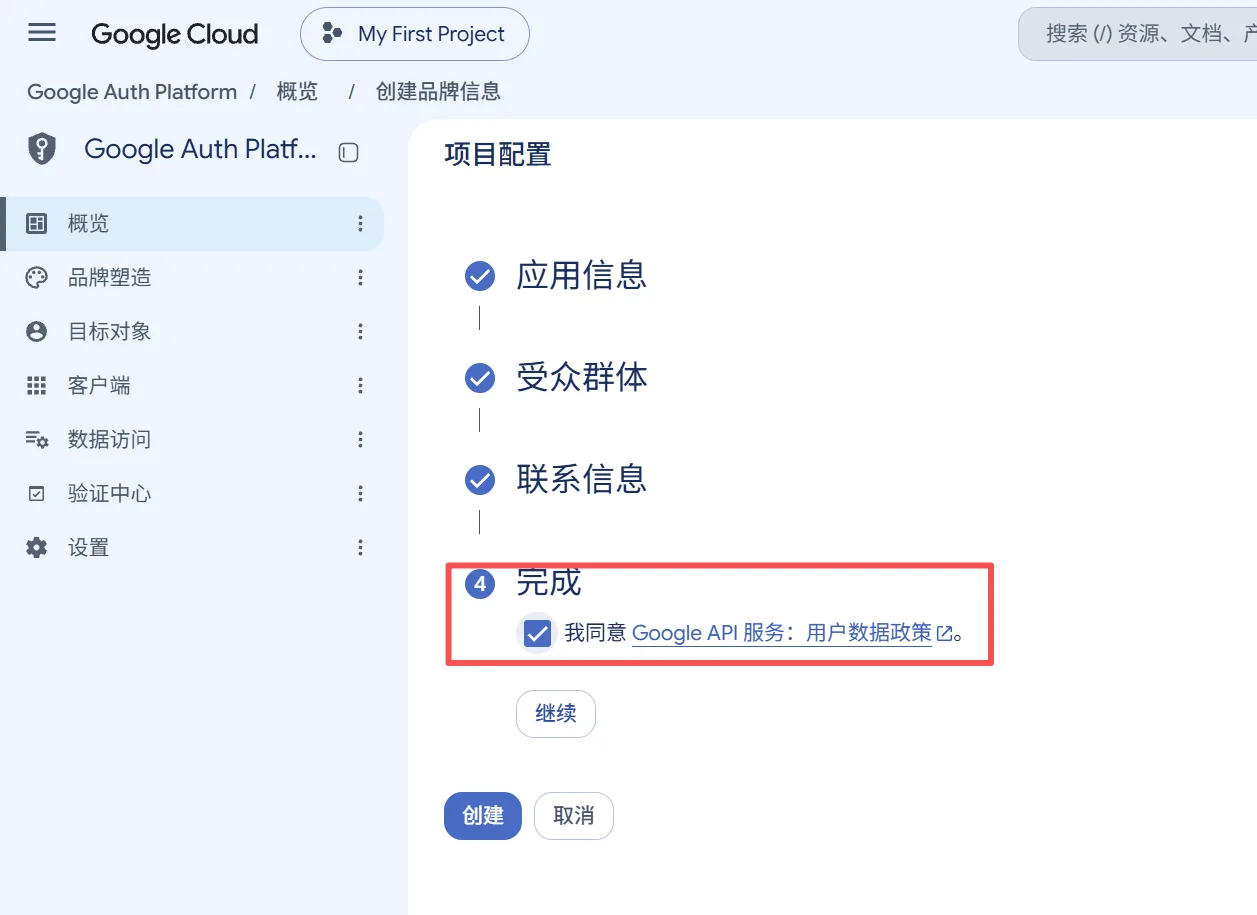
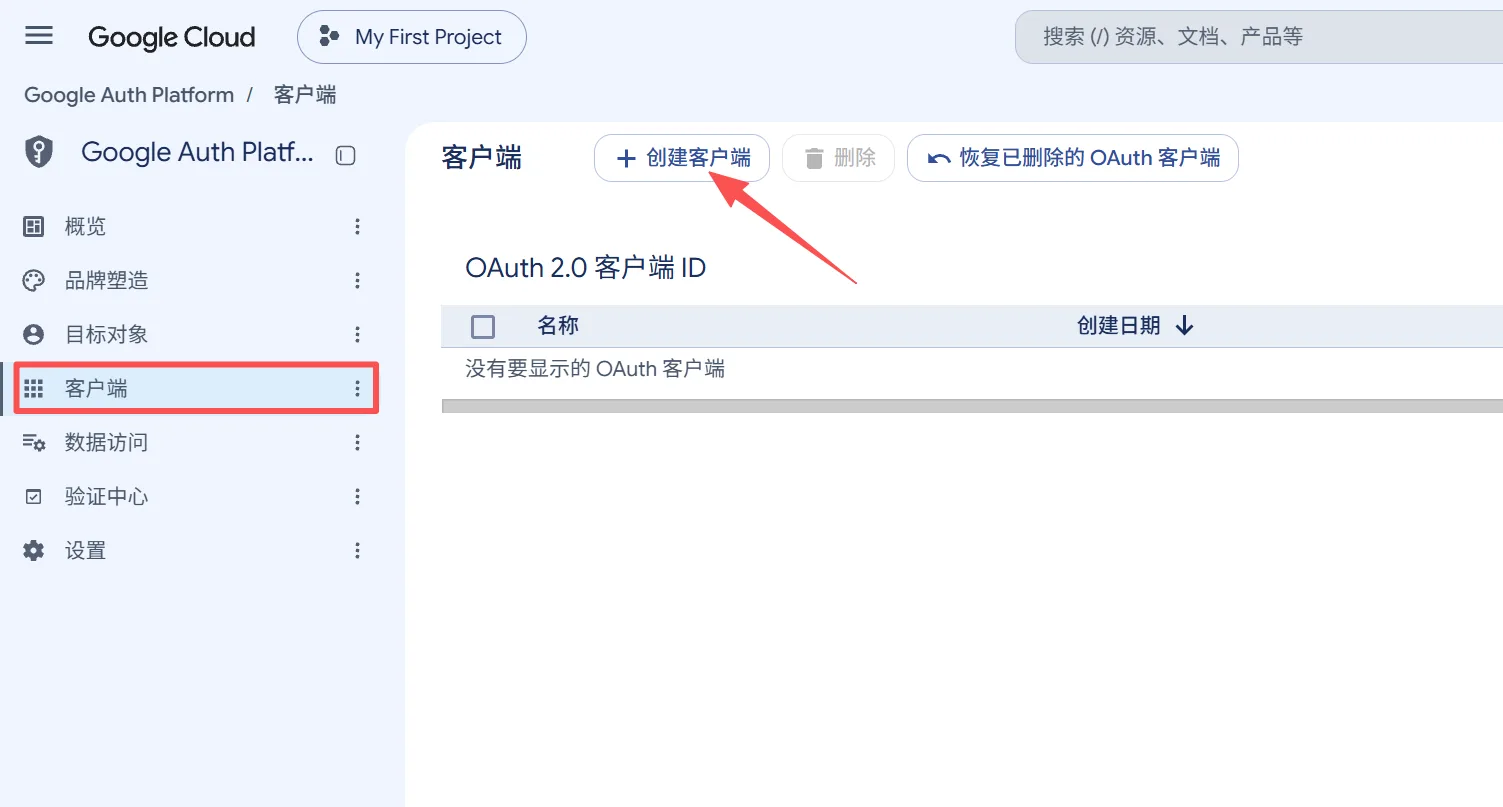
Google OAuth 2.0 Client Application Tutorial
This tutorial describes how to apply for a Google OAuth 2.0 Client on the Google Cloud platform to obtain a Client ID and Client Secret for use in the Google account login feature.
1. Log in to the Google Cloud platform
Open the Google Cloud console:
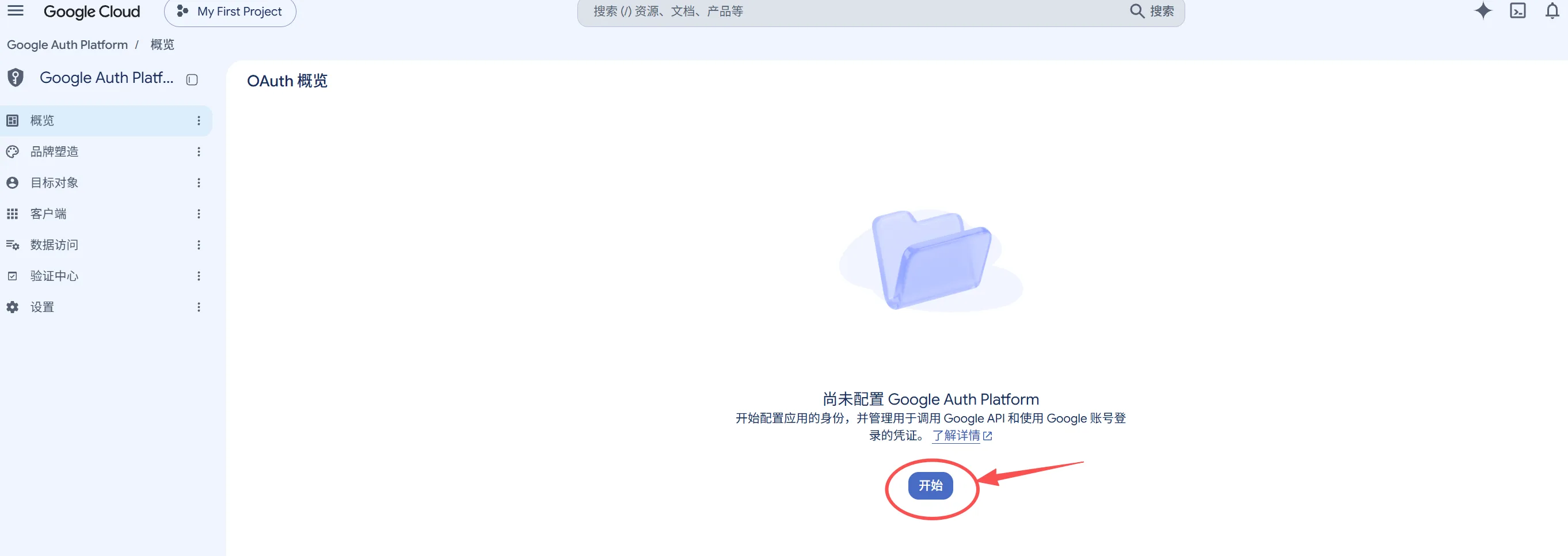
https://console.cloud.google.com/auth/
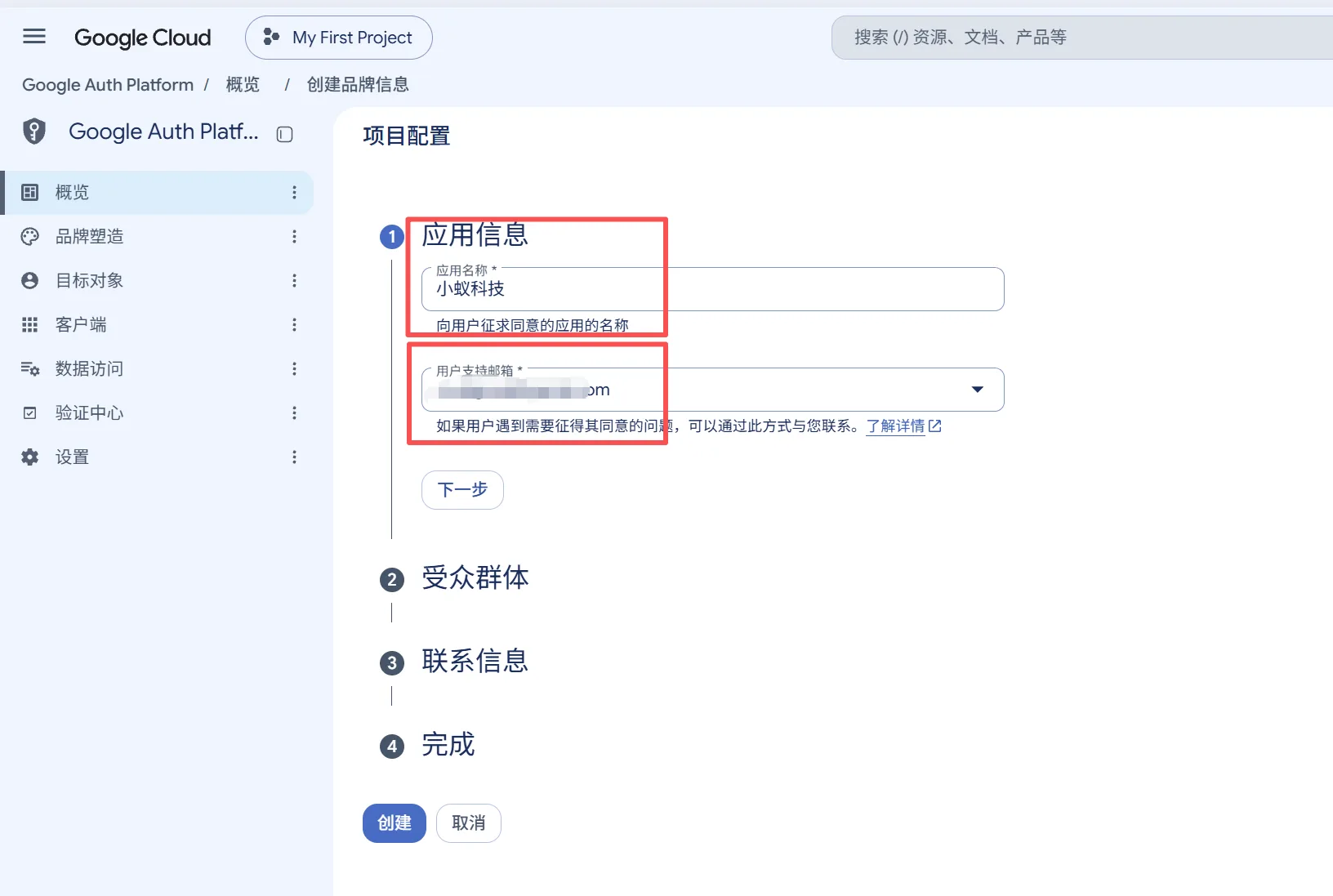
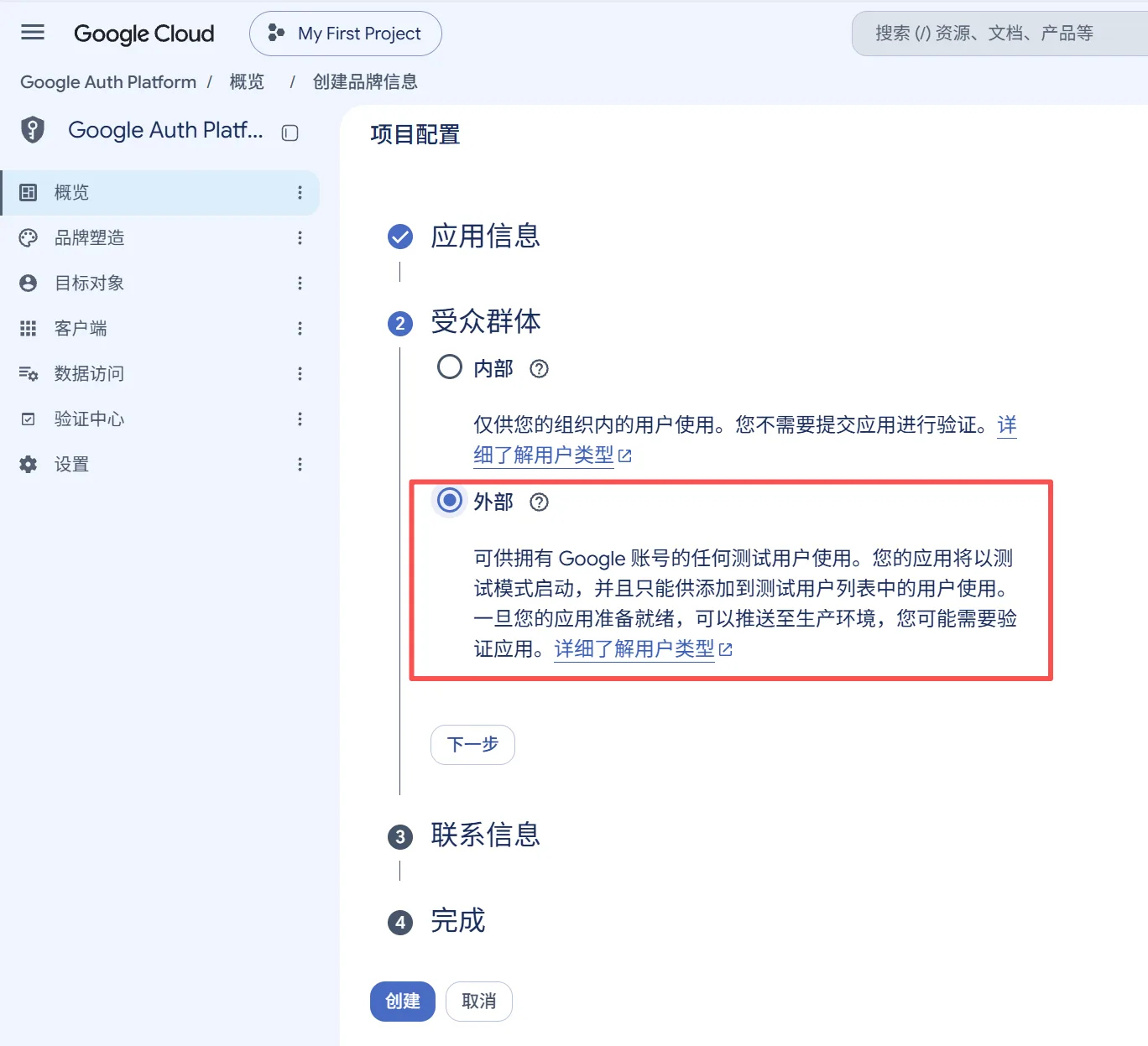
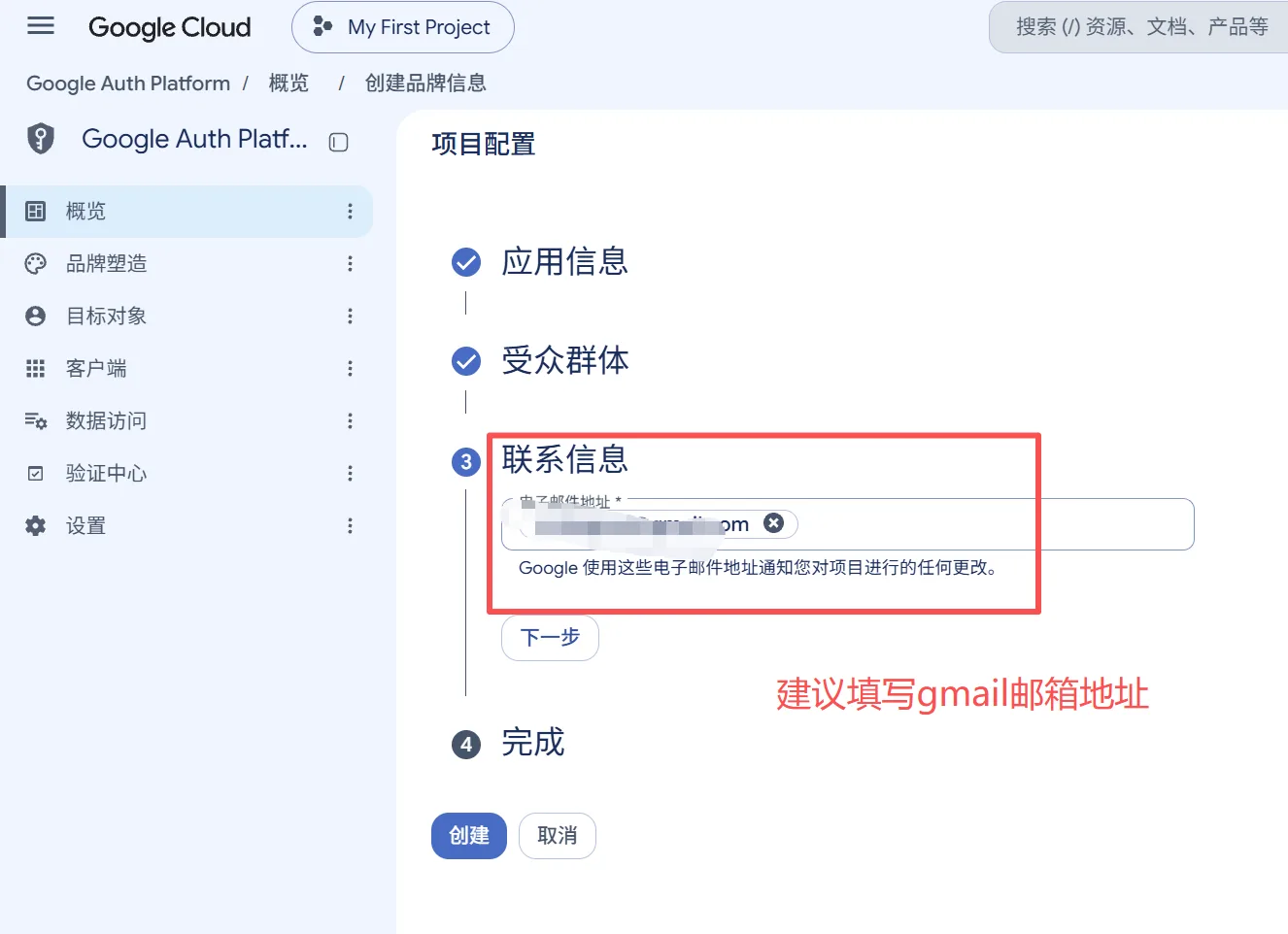
Sign in with your Google account. If this is your first time using Google Cloud, follow the on-page prompts to complete the initialization settings.