Discuss! Plugin kakao Quick Login
Little Ant Kakao Quickly Login to Discuz! The forum offers KakaoOAuth login, account binding, and new user registration, making it suitable for communities targeting Korean users or those requiring a Kakao account system.
Little Ant Kakao Quickly Login to Discuz! The forum offers KakaoOAuth login, account binding, and new user registration, making it suitable for communities targeting Korean users or those requiring a Kakao account system.
Demo:https://fjxiaoyidzx50.fqlook.cn/
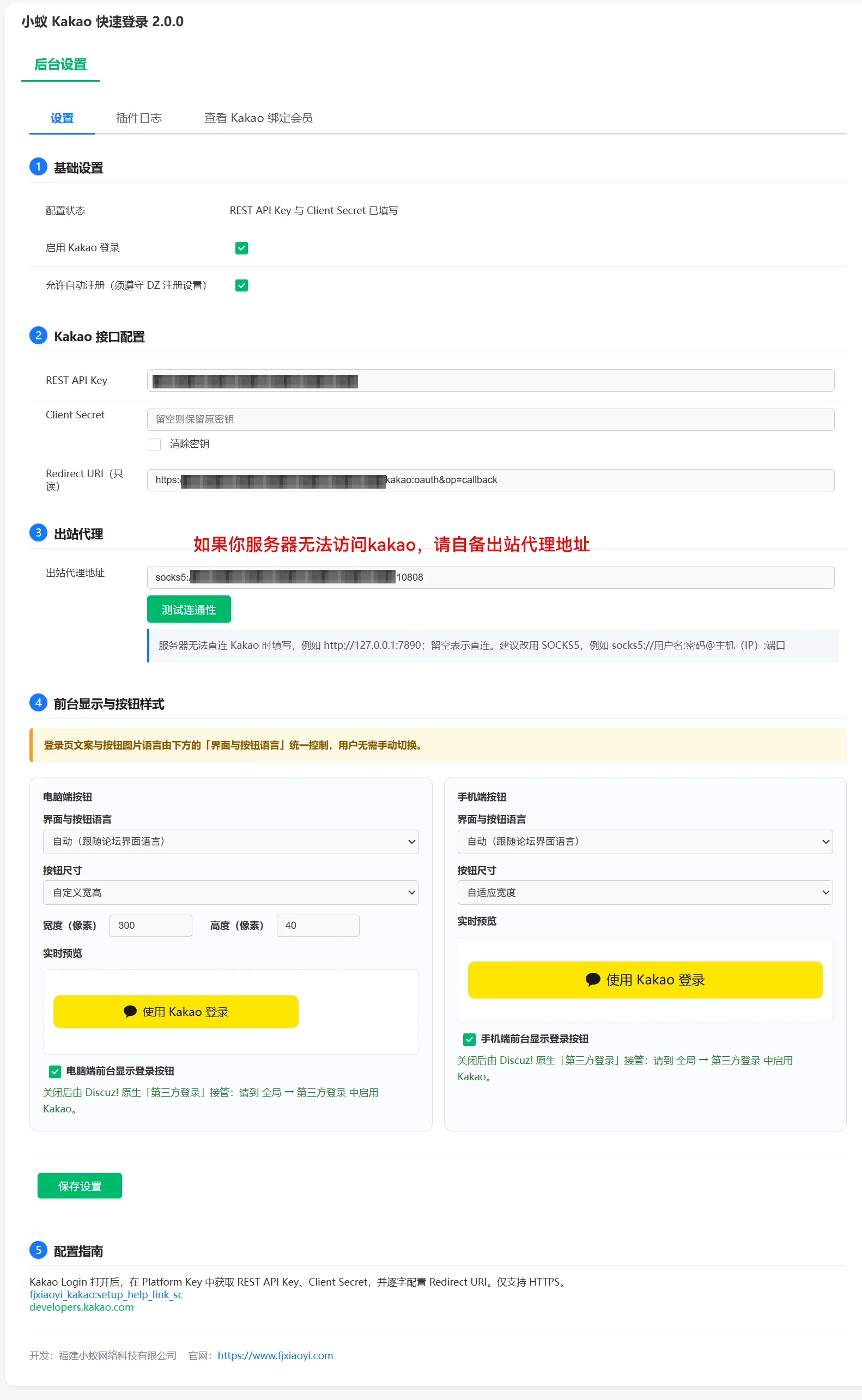
Note:To purchase this plugin, your server must have access to KAKAO, or you must have your own outbound proxy to use it.
Main functions
- Quickly log in to the forum using your Kakao account.
- Logged-in members can link or unlink their Kakao account.
- Supports creating forum accounts using verified Kakao identities.
- Supports Simplified Chinese, Traditional Chinese, Korean and English interfaces.
- Provides button display control for computers and mobile phones, as well as a variety of official button styles.
- Supports HTTP, HTTPS, SOCKS5 proxies and background connectivity testing.
- Distinguish between network connection failures and incorrect Kakao authorization parameters, making it easier for website owners to troubleshoot.
- ClientSecret encrypted storage, OAuthstate one-time verification, login cookies using site isolation and security properties.
- Background provides binding records and operation log queries.
Xiao Yi Kakao Quick Login X5 Series Instructions
Scope of application
-Discuz!X5.0
- PHP 8.0 and above
- UTF-8 encoding
The X5 branch follows Discuz! The X5 native third-party account framework is maintained independently and does not include X3 compatibility code. Login, registration, binding, and login status establishment are all completed through the X5account interface.
X5 exclusive features
- Display "Kakao Quick Login" in the third-party login method in "Settings → Account Management".
- Uses official Kakao lightweight icons and adapts to the X5 native account interface in inline SVG format.
- Use X5 native account::checkUser(), userBind(), userRegister(), and userLogin() to complete the account loop.
- Use JSON plugin manifest and X5 native i18n language directory.
- Access the X5 native third-party account icon area on the login page.
- No extra X3-style shortcut login buttons injected at the top.
- Third-party account registration permissions are controlled by the X5 native account registration switch.
Little Ant Kakao Quick Login X3 Series Instructions
Scope of application
-Discuz!X3.4
-Discuz!X3.5
- UTF-8 encoding
The X3 branch uses Discuz! The X3 plugin interface enables Kakao login, forum account binding, and automatic registration. Simplified Chinese and Traditional Chinese XML installation files are provided.
X3 Exclusive Features
- Login page, registration page, and mobile Kakao login portal.
- You can separately control the Kakao shortcut login button next to the username and password areas at the top of the forum.
- The "Kakao Login" portal is displayed on the left side of the personal center.
- After successful Kakao authentication, you can bypass the registration verification code and verification Q&A.
- Still comply with the forum's security settings such as the general registration master switch, registration review, registration frequency control, and sending registration links.
- X3.5 Direct Connection Priority Use System Network Client; X3.4 and proxy scenarios use restricted cURL.
- Supports common socks5:// syntax and resolves Kakao domain names by a proxy server.
X3 v1.0 Update Log
- Supports a quick login button at the top, and the background is independently controllable.
- Personal Center supports kakao binding
- Fix KakaoOAuth proxy connection and error recognition issues.
- Supports bypassing verification codes and verifying Q&A through verified Kakao identities.
X5 v1.0 Update Log
Supports plugin backend to directly check your outbound agent connectivity
Perfect integration with x5 third-party login
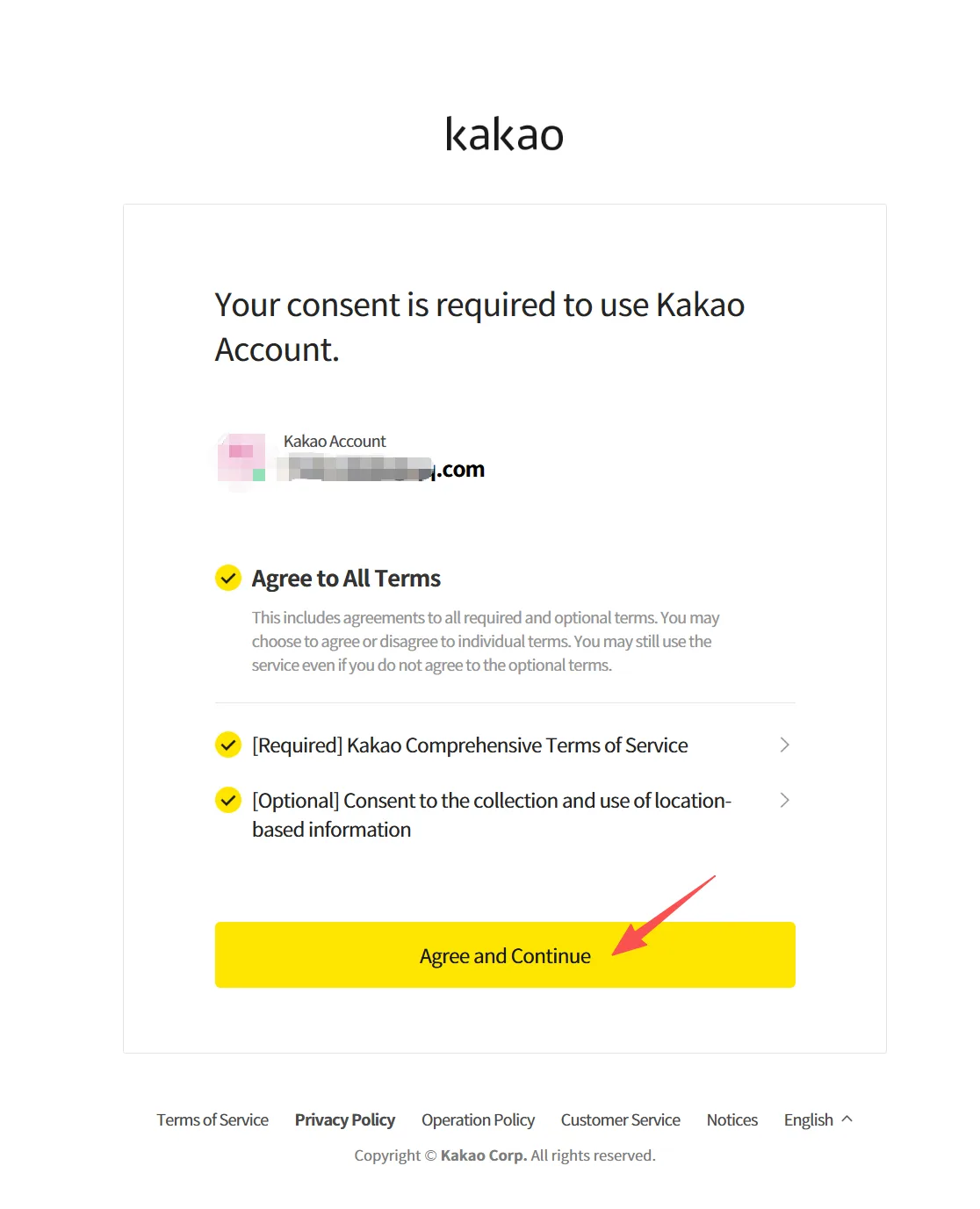
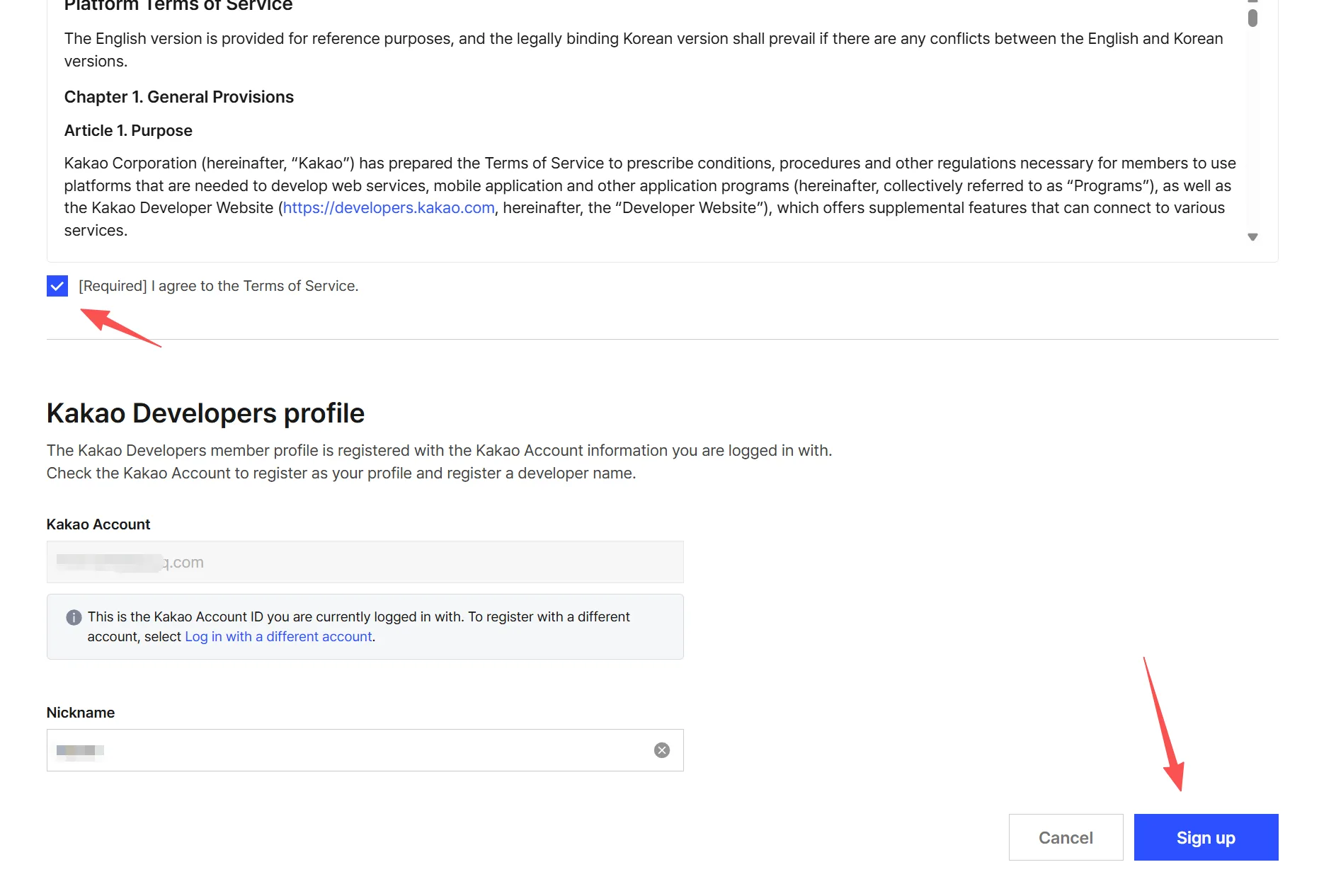
To register for kakao Developer Center:
Open the registration pagehttps://accounts.kakao.com/weblogin/create_account/Follow the prompts to register. Of course, if you already have a kakao developer account, skip it.
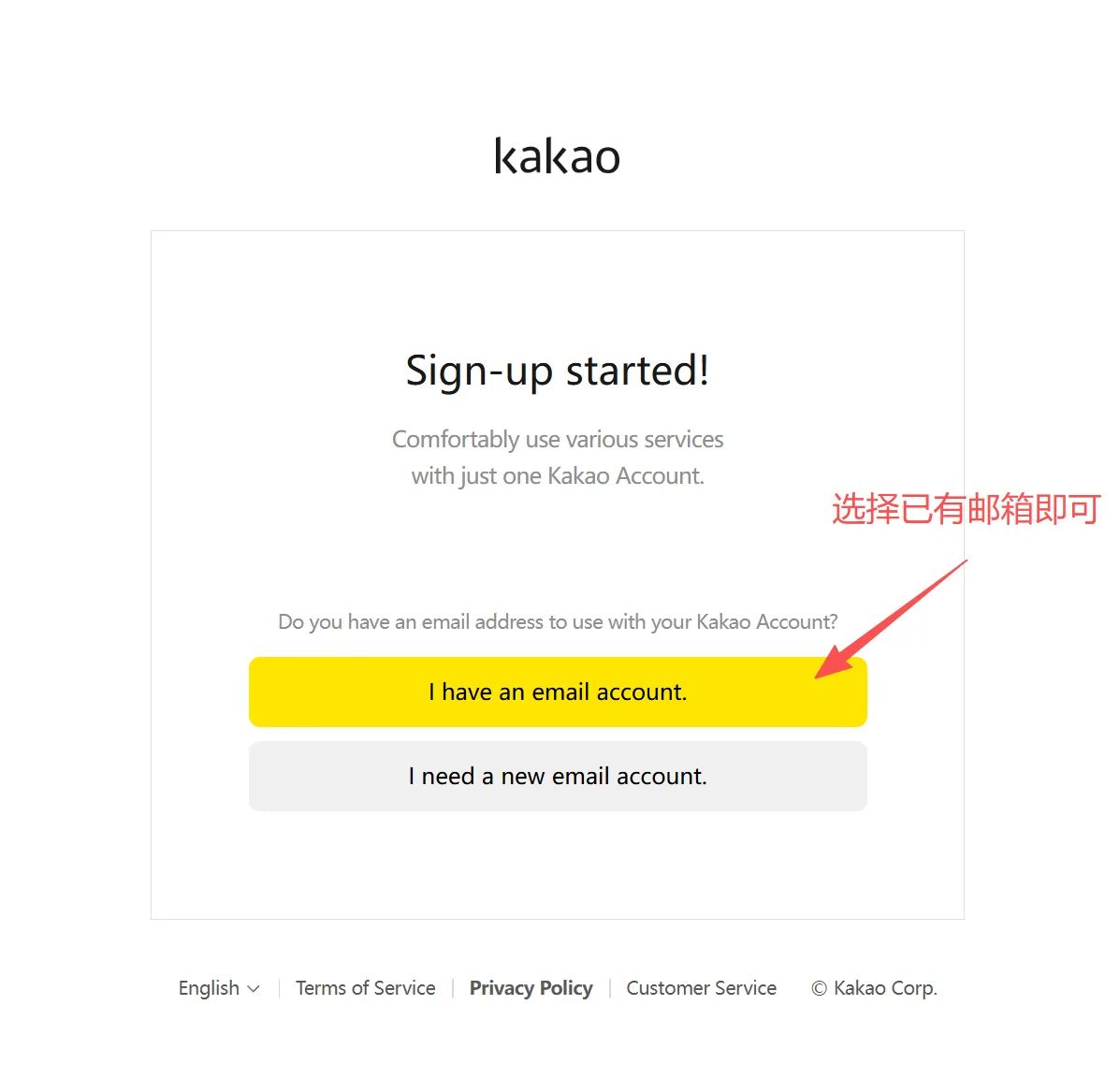
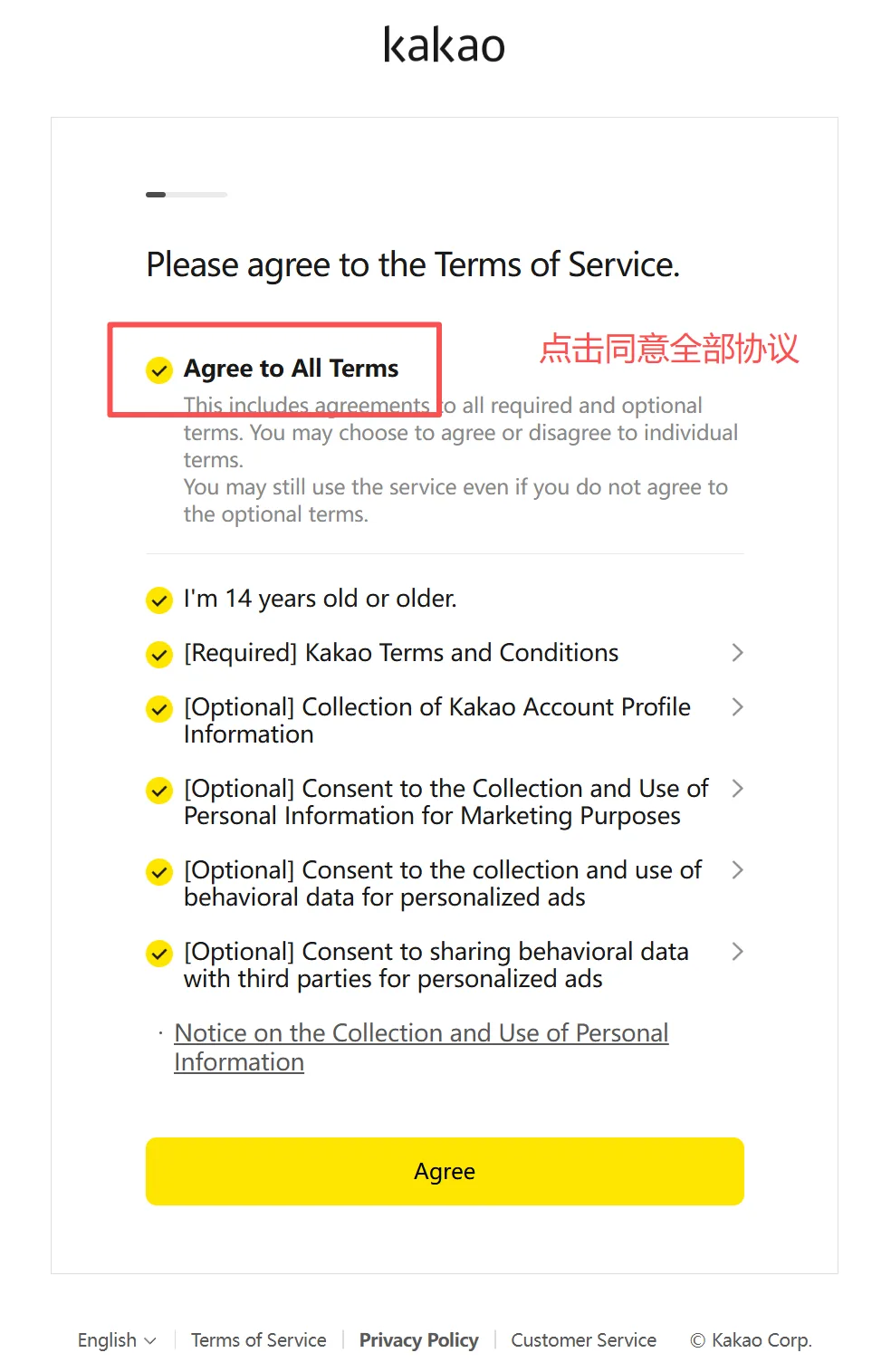
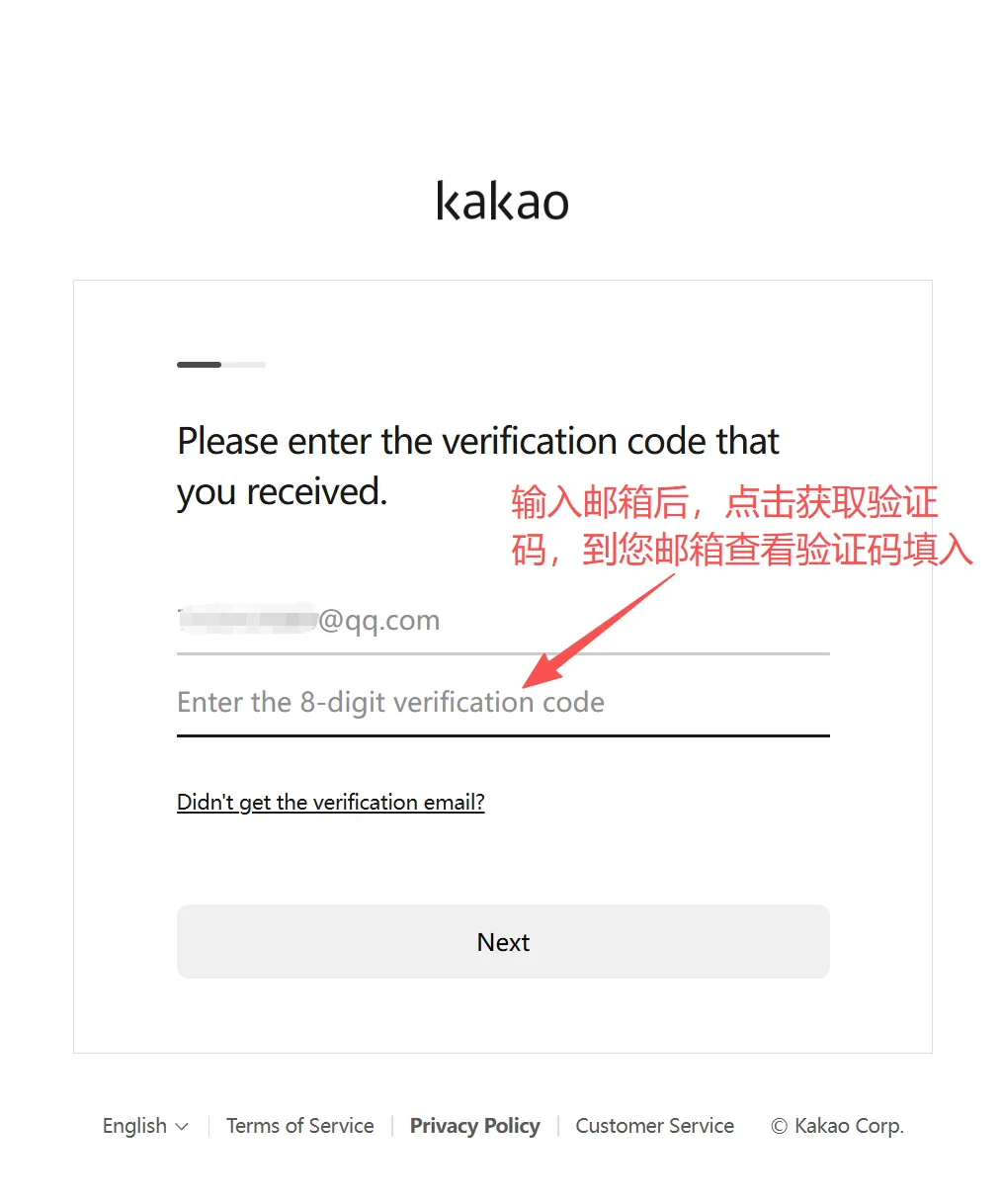
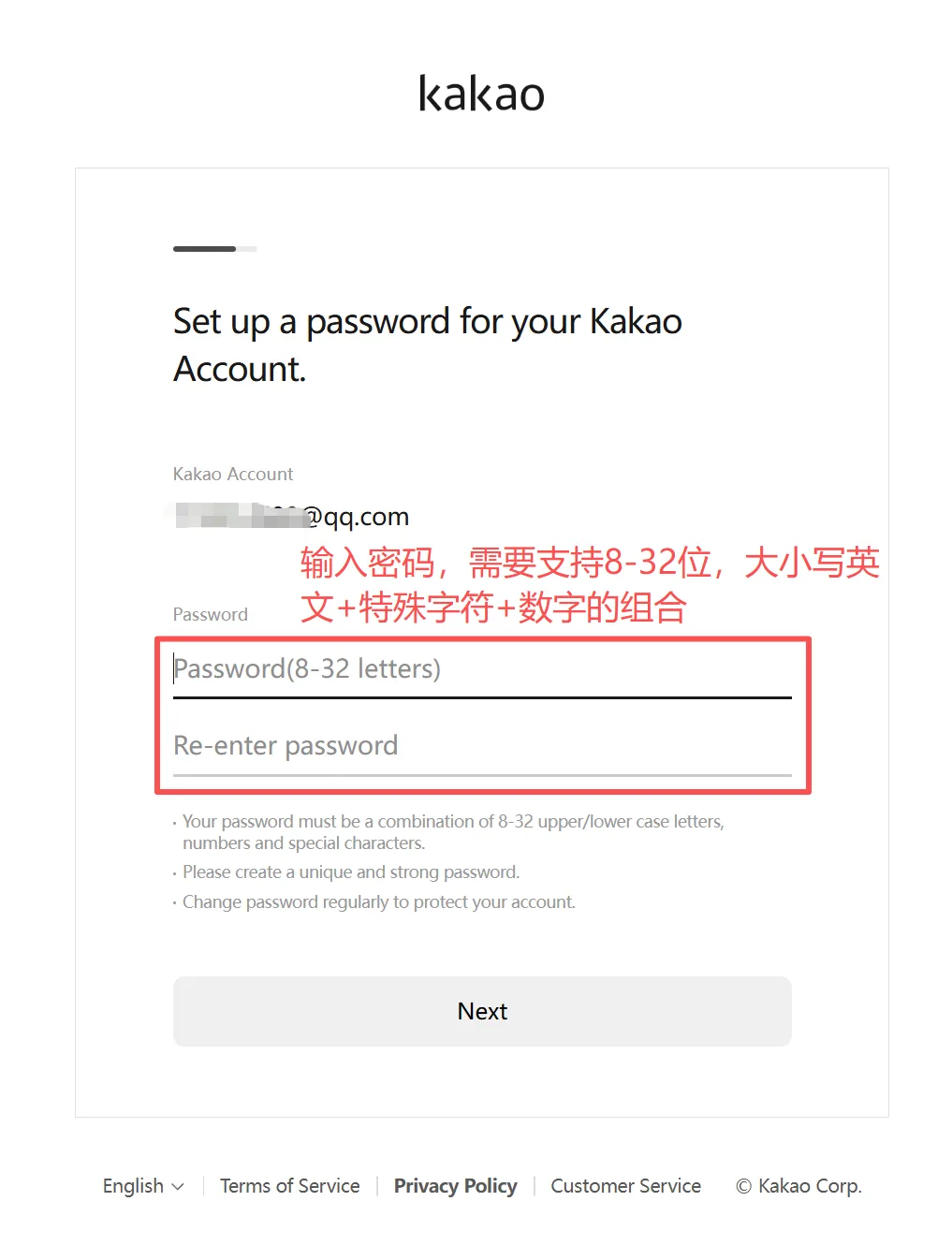
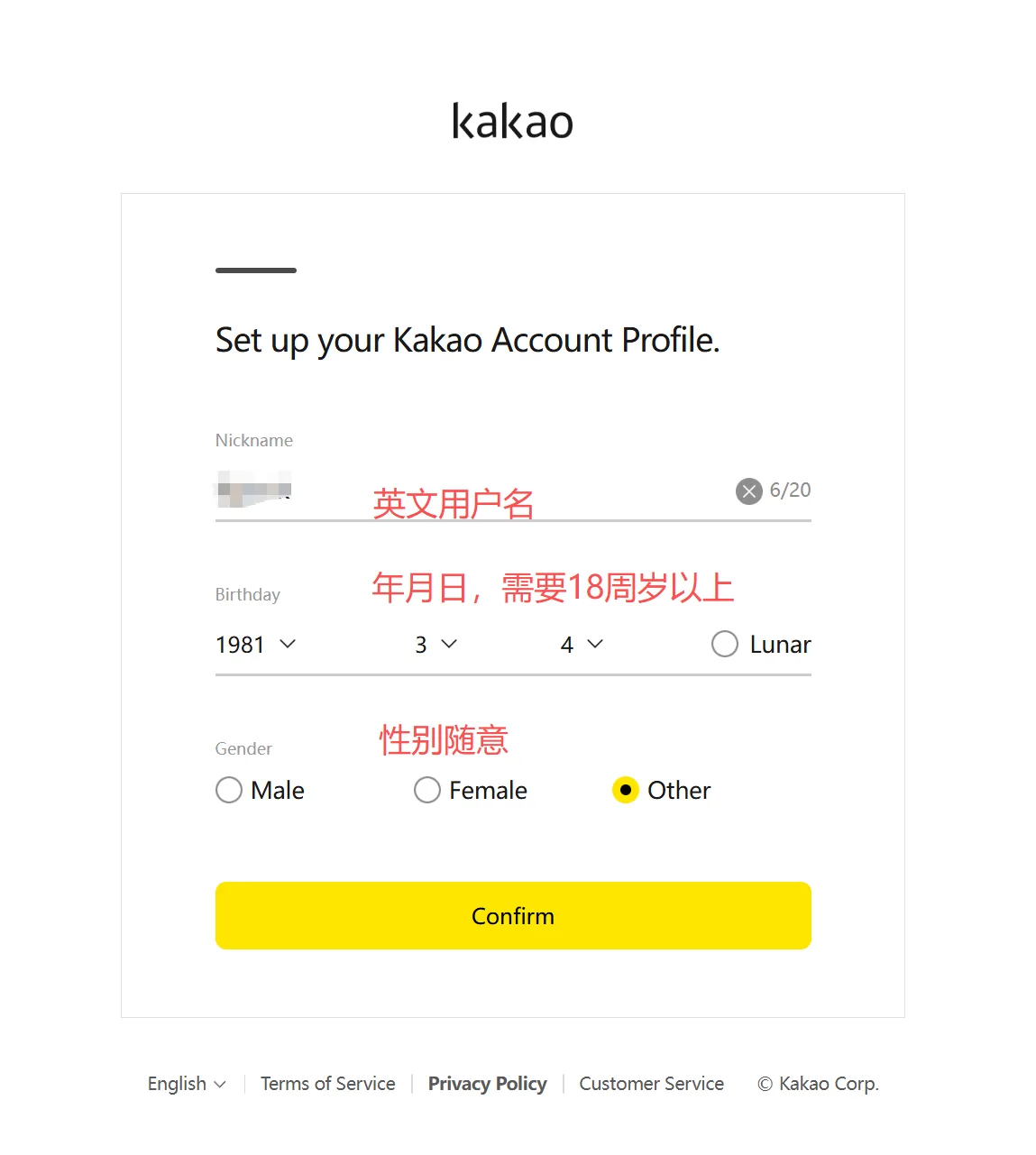
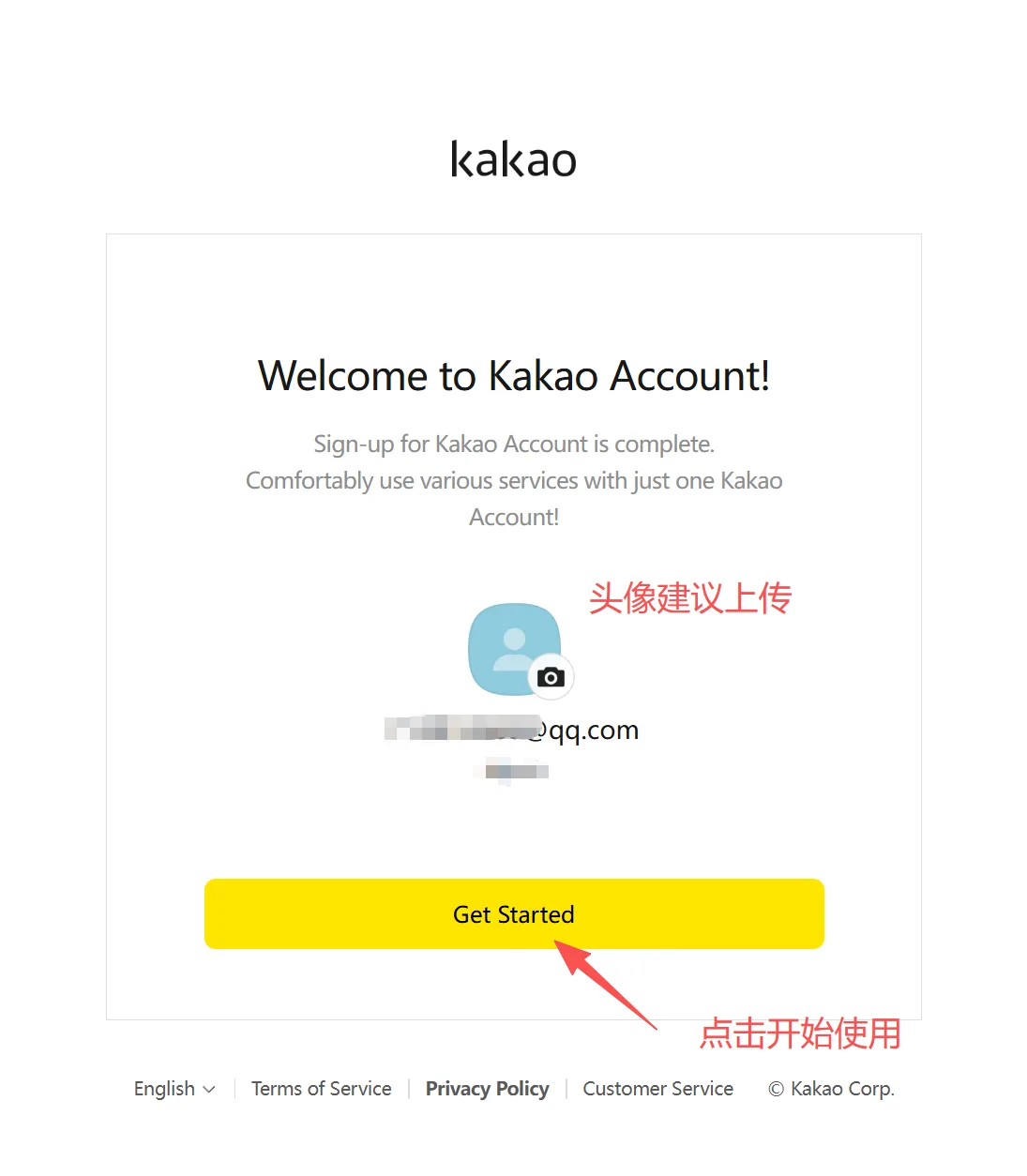
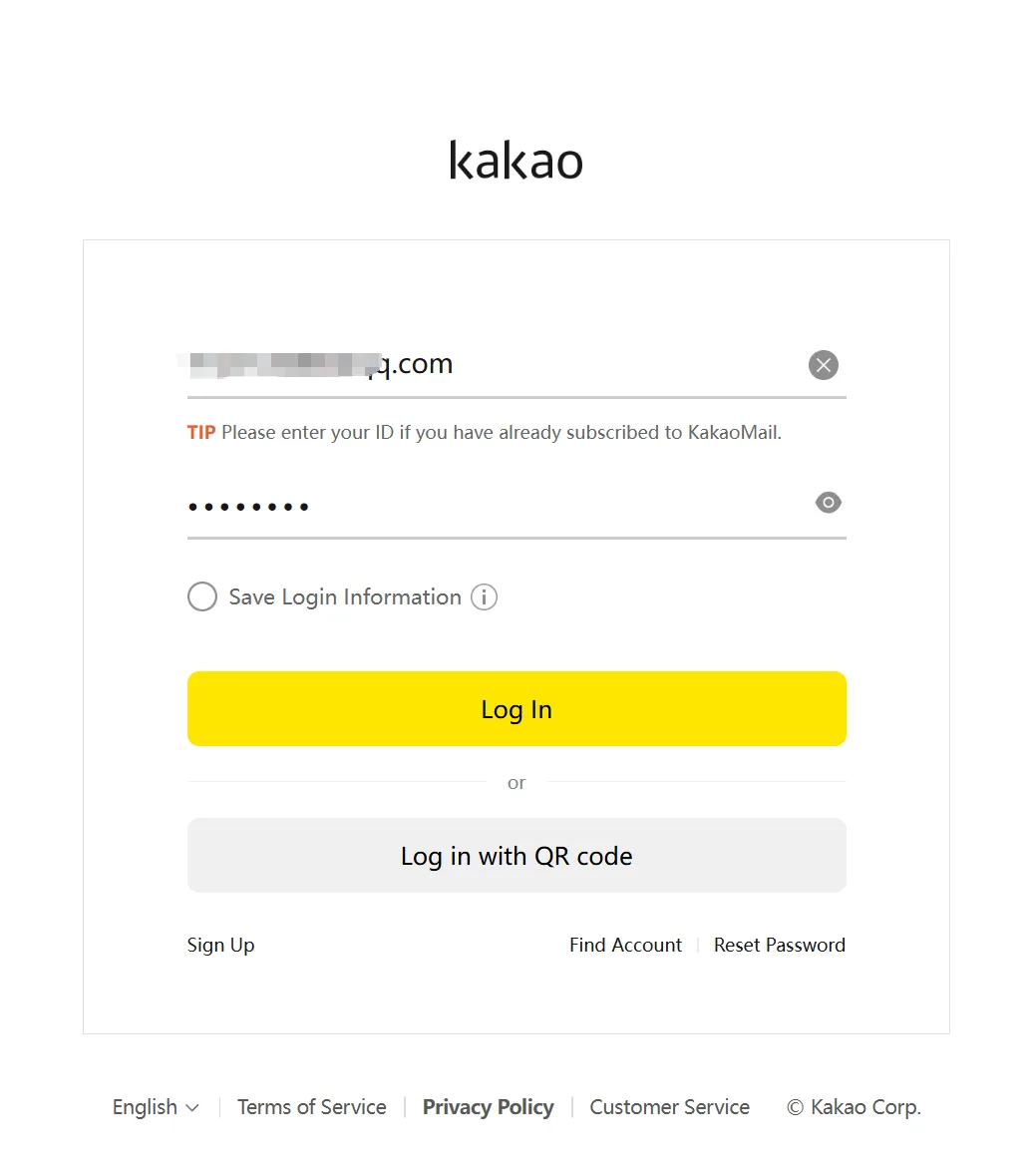
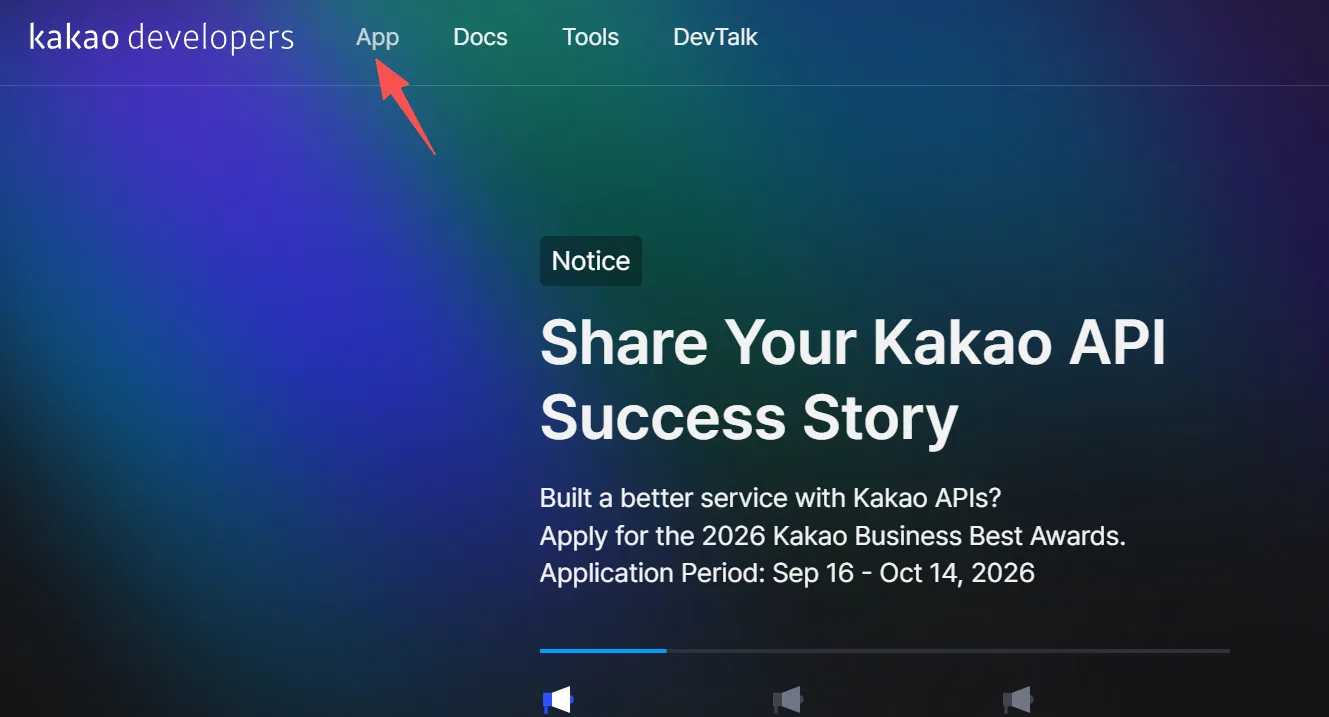
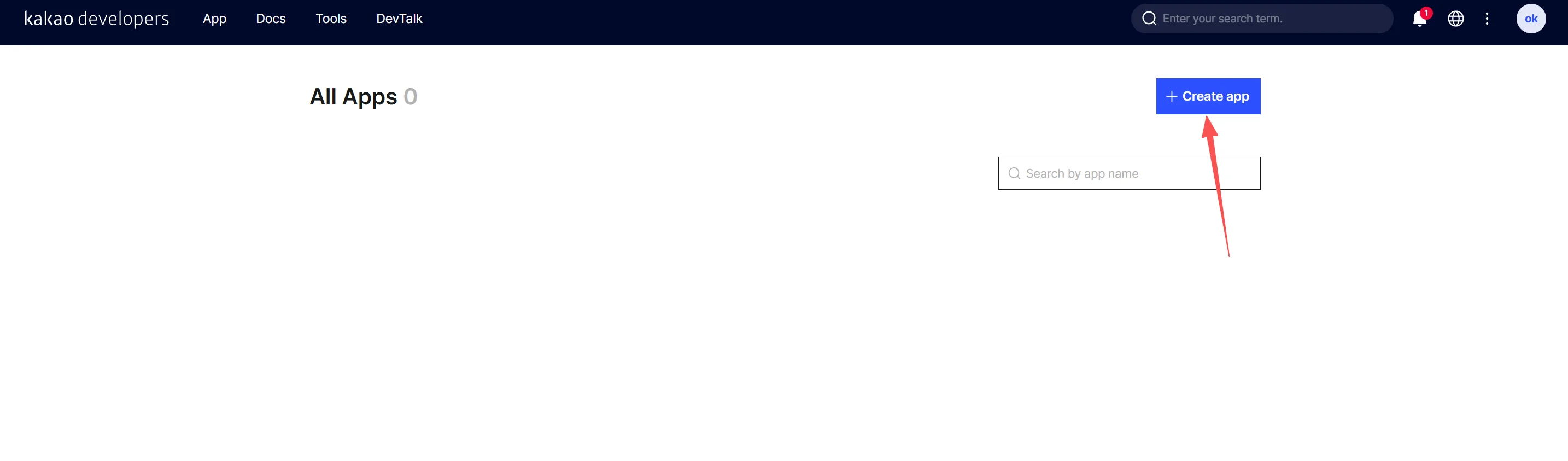
At this point, you can click "Start Using." If clicking doesn't respond, that's okay. You can proceed to the next step: open the developer platform and log in with the username and password you just registered. https://developers.kakao.com/
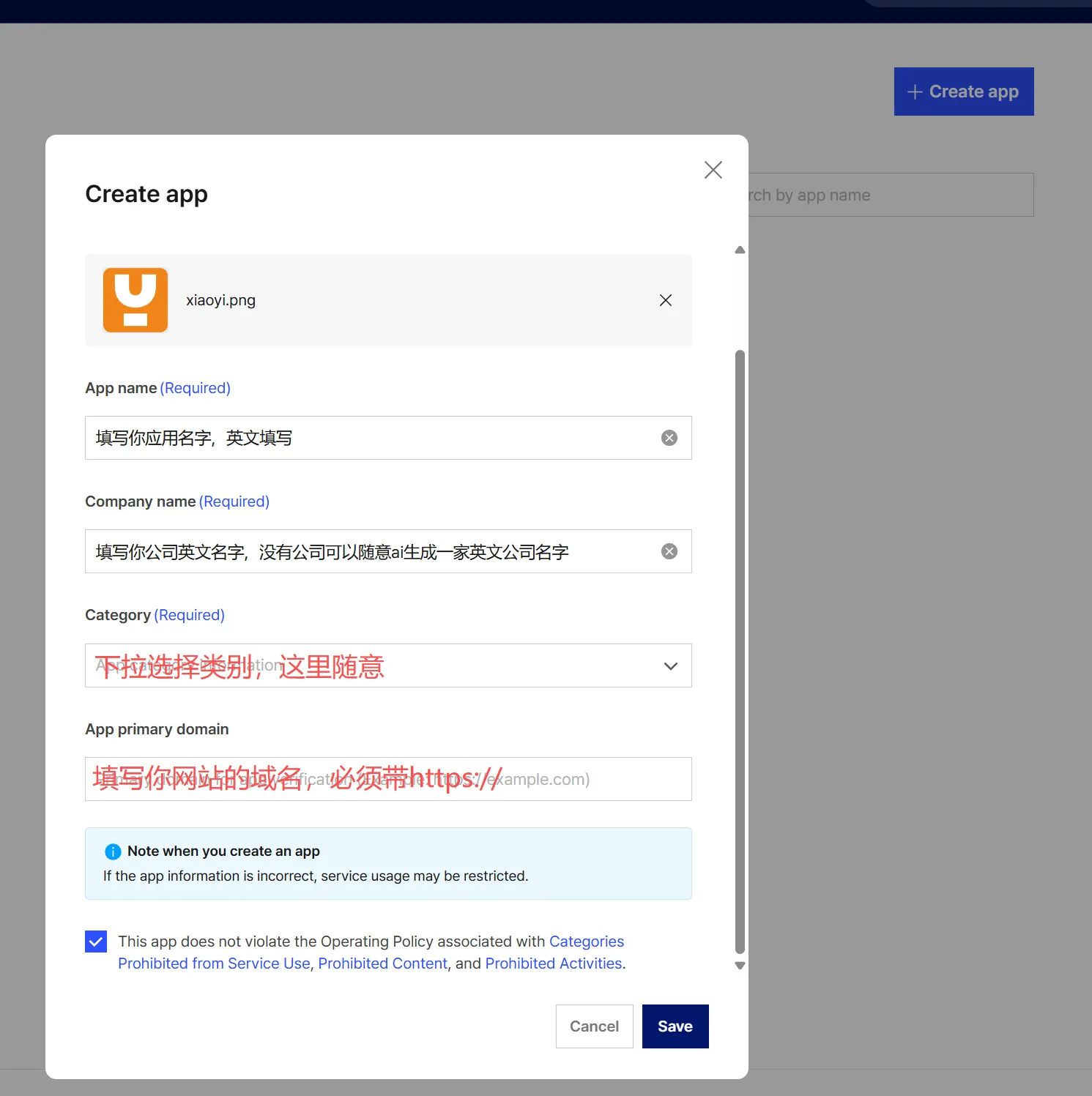
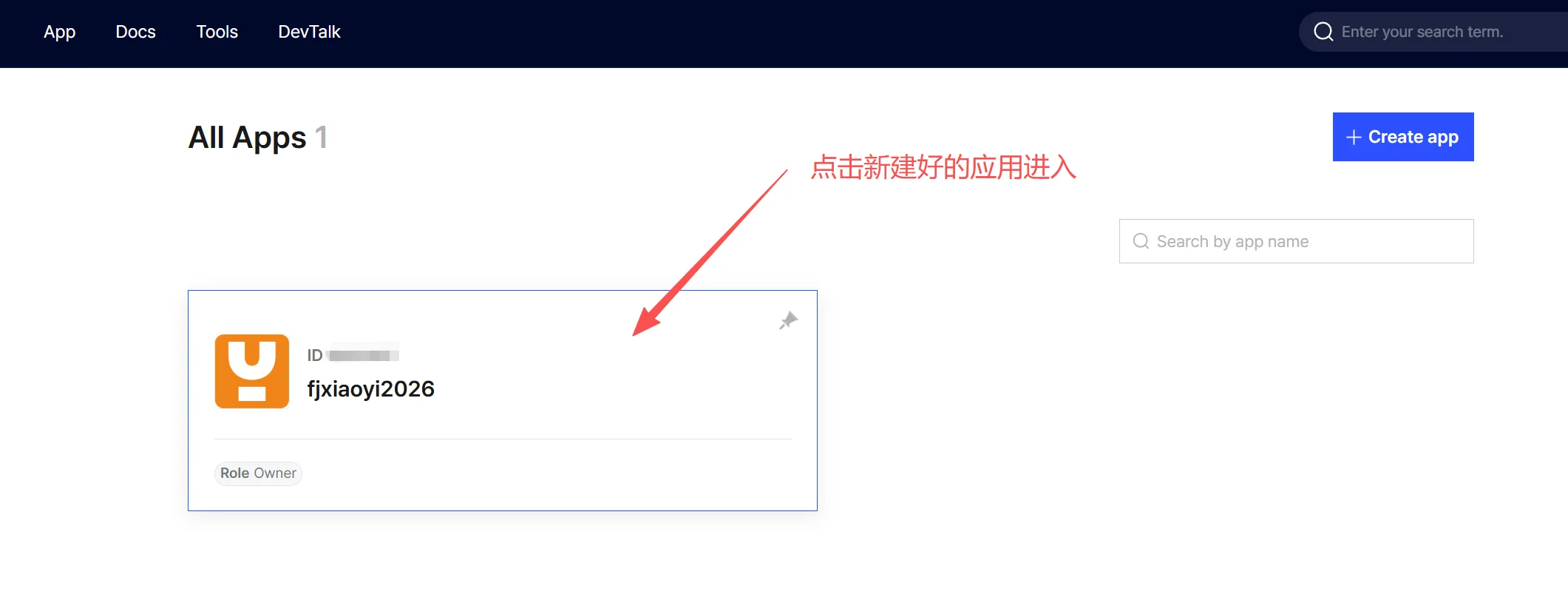
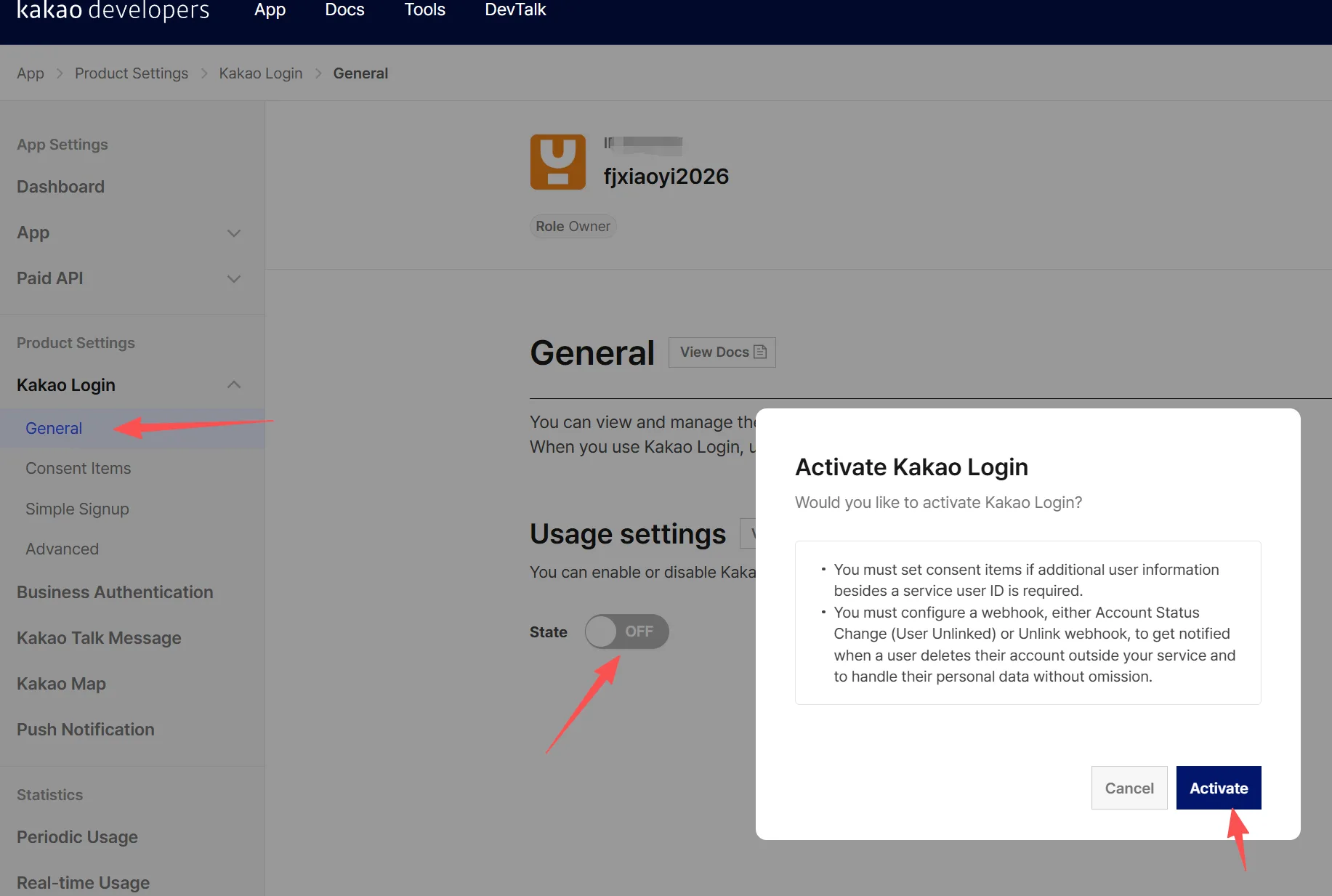
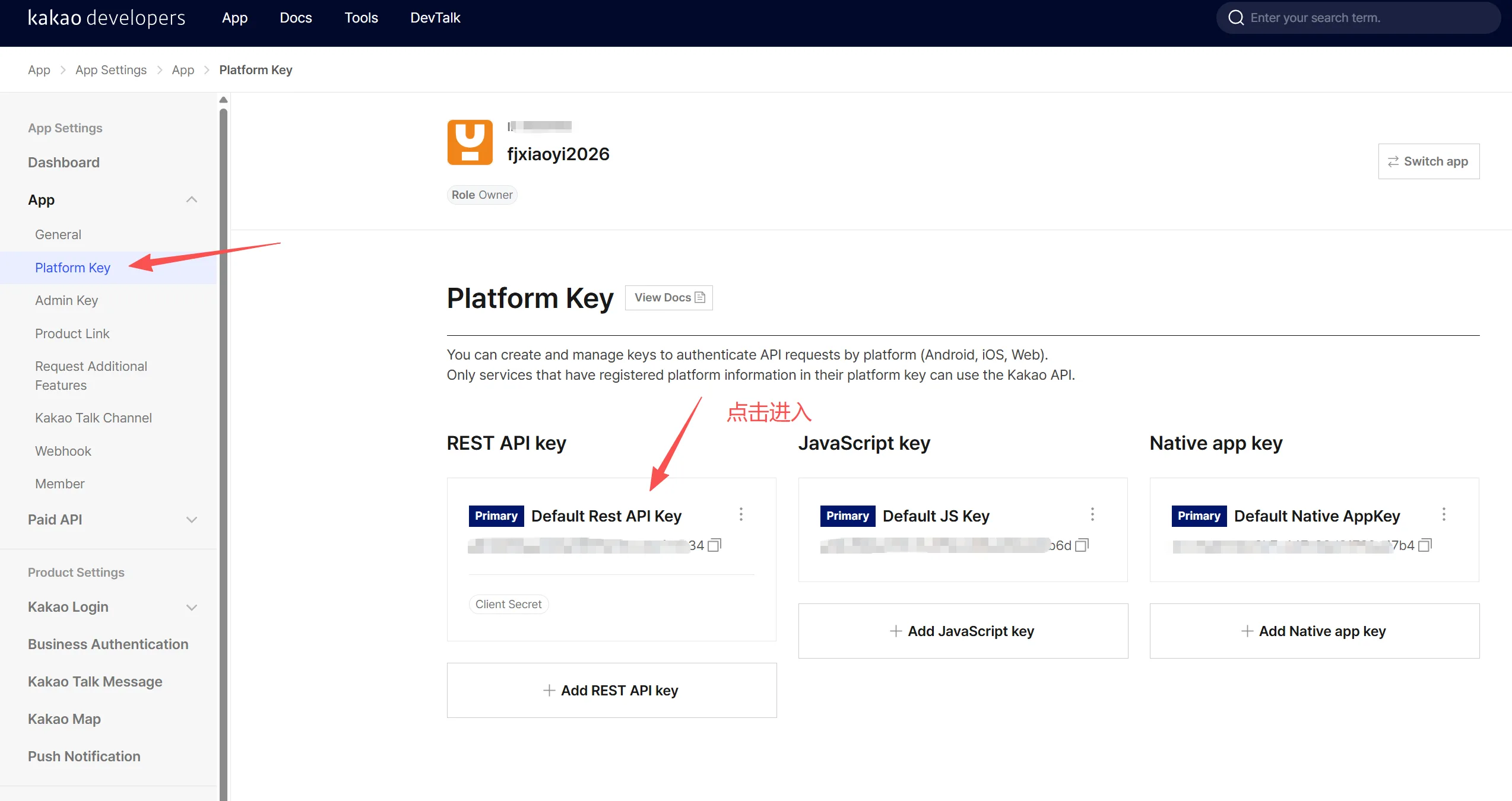
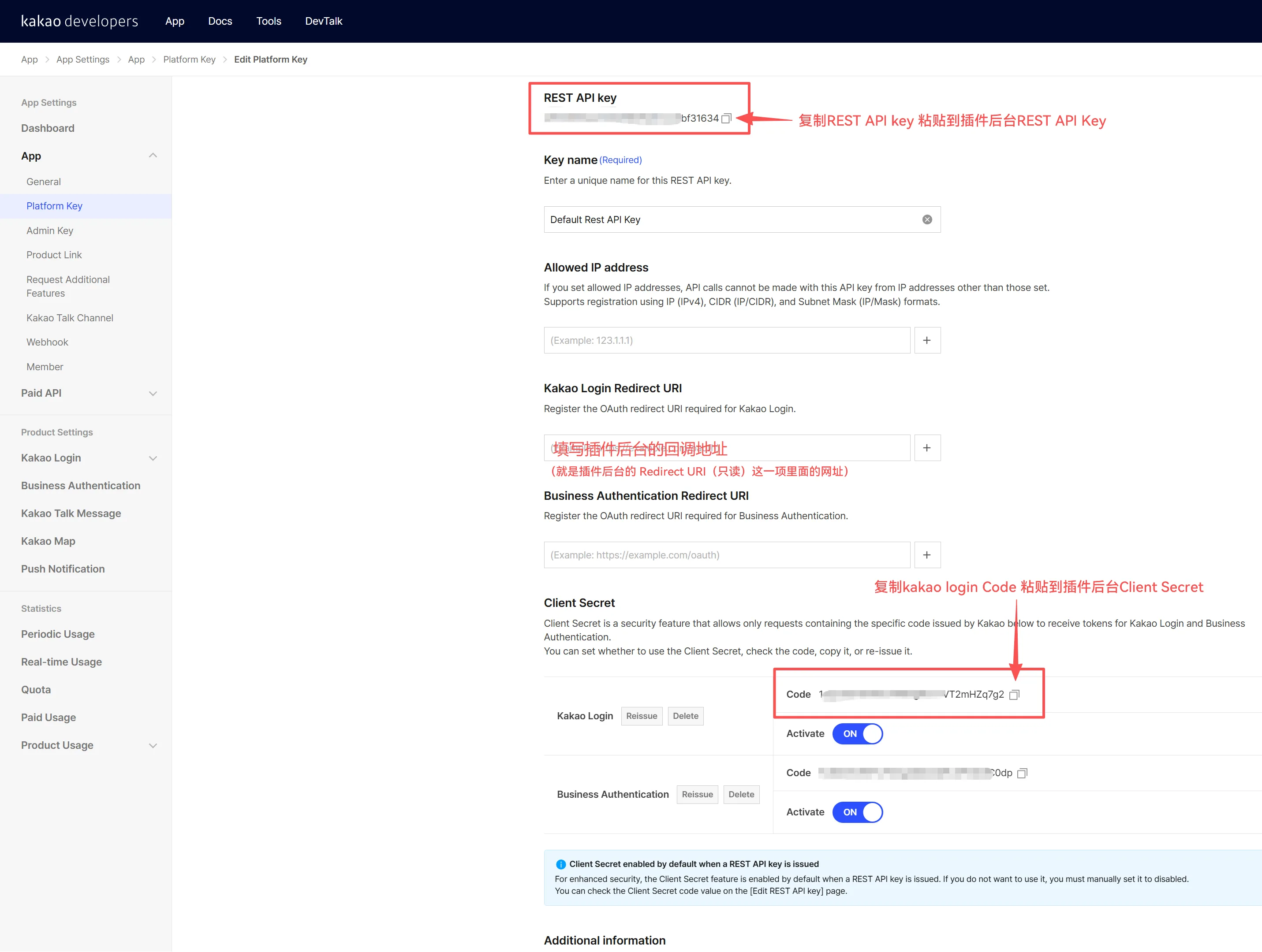
X3 Series Background Settings
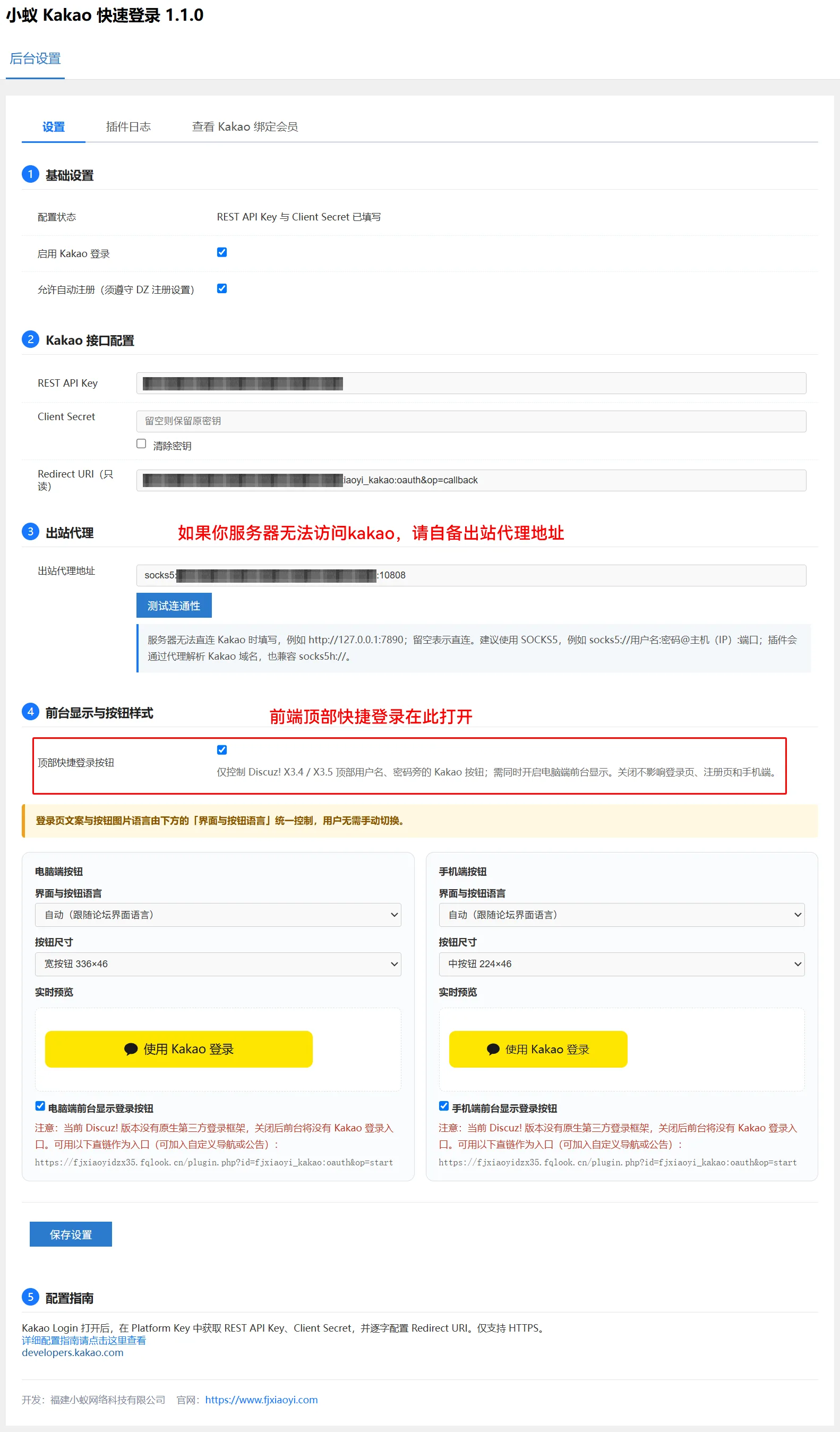
X5 series background settings