Discuss! Plugin Xiao Yi Multilingual Translation
Xiao Yi Multilingual Translation is a web page translation tool installed in forums. Once installed, visitors can translate text and images directly on a single page without leaving your website. This plugin relies on the translation interfaces of NiuTrans and NetEase Youdao for translation. Please apply for the interfaces yourself and bear any costs incurred.
I. Plugin Description
Xiao Yi Multilingual Translation is a web page translation tool installed in forums. Once installed, visitors can translate text and images directly on a single page without leaving your website.
Imagine these scenarios:
- Some overseas friends have posted on the forum, but I can't understand them? Click to translate it into Chinese immediately.
- Want to communicate with foreign online friends, but are not very comfortable with foreign languages? Paste in what you want to say, and you'll get the translation immediately.
- See a screenshot or image in a foreign language and want to know what it says? Drag the image in and you'll get a translated image.
It's like a translation assistant that's always online, quietly sitting on a page on your forum and readily available whenever you need it.
For website owners, all you need to do is prepare the translation account and fill it in. It will do the rest: remember who uses it a lot, who repeatedly uses it, and how much you use each day. The page style, title text, ad placement, and privacy policy can all be freely adjusted according to your wishes. It looks good on both mobile phones and computers.
One thing to note in advance: the plugin itself does not have built-in translation capabilities. You need to apply for a translation service account and fill in the information yourself for it to work properly.
II. Plugin Features
1. Text and images can be translated.
It can translate not only typing but also images directly. Drag the image onto the page to get a translated image, making it especially convenient to view foreign language screenshots.
2. Using the two translation services in turn makes it less likely to fail.
Two translation services can be configured simultaneously. If one has a problem or the credit limit is used up, the other will automatically take over, and visitors will hardly feel any interruption.
3. Four page styles to choose from
Classic blue and white, fresh card, minimalist gradient, dark business, four look sets can be switched with one click. It will be adapted for both mobile and computer devices, and can also be placed on the forum homepage as a small module.
4. Multiple languages, automatic recognition
Common languages such as Chinese, English, Japanese, and Korean can be translated into each other. When translating text, it can automatically determine the original language without having to manually select it.
5. Save you money and help you prevent fraud.
You can decide how much to use each day, how many times each person can use it, and how often to submit it. It will automatically stop if you use too much money to prevent someone from using up their credit card.
6. Everything you need for operations has been prepared.
You can change the title and description text, place ads, write a privacy agreement, and set the information the page displays in search results. You can also view your translation records at any time, so you can easily see what everyone has translated.
7. Privacy-conscious, no pictures of you.
The translation history only stores simple text summaries and image sizes; it does not save the image you uploaded itself or the translated image.
No logs yet
This plugin relies on the NiuTrans and NetEase Youdao translation interfaces for translation. Please apply for the interfaces yourself.
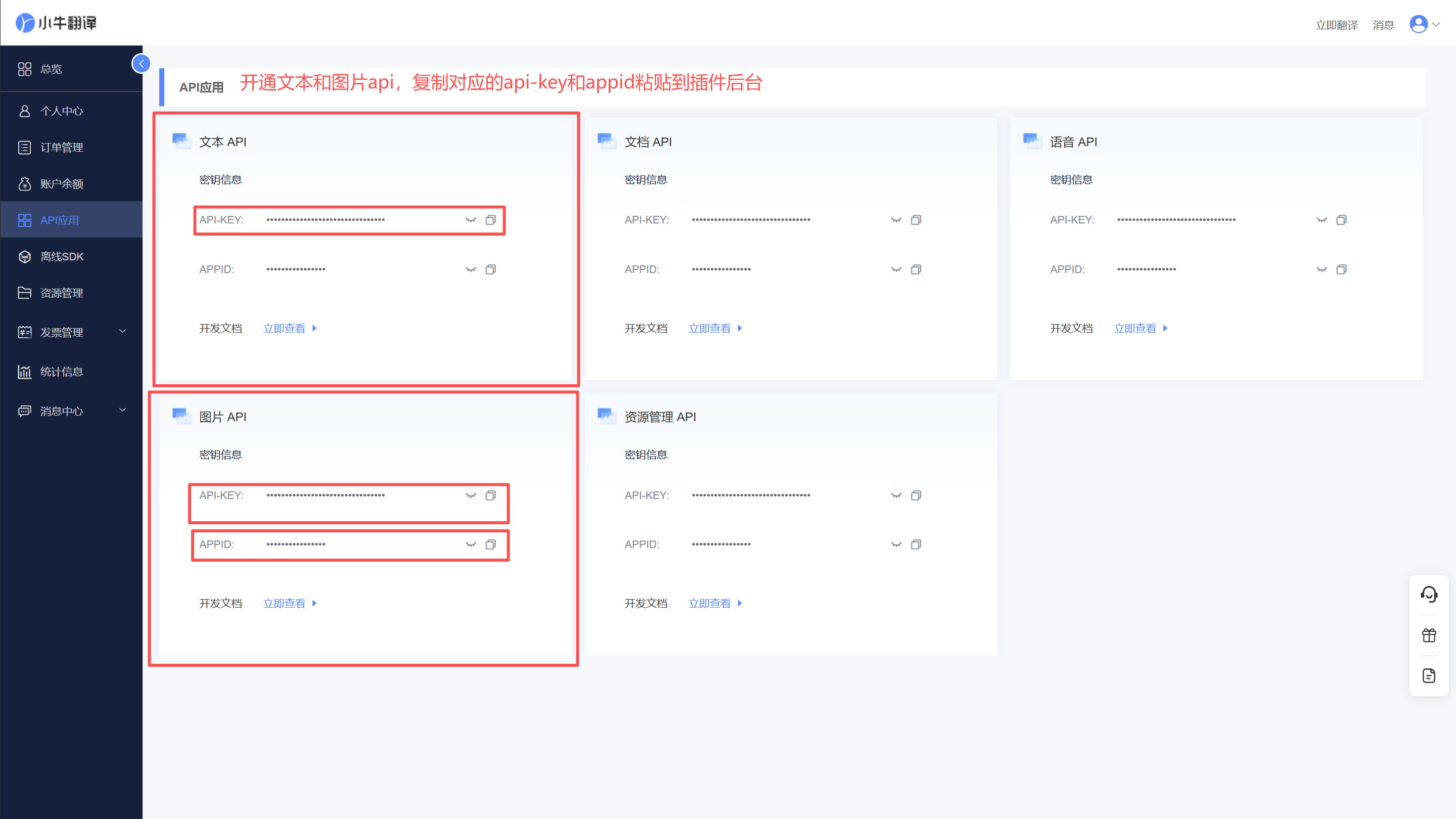
1. Niu interface:https://niutrans.com/login
Please open the above website, follow the prompts to register, and then open the Xiaoniu API application page.https://niutrans.com/cloud/api/list
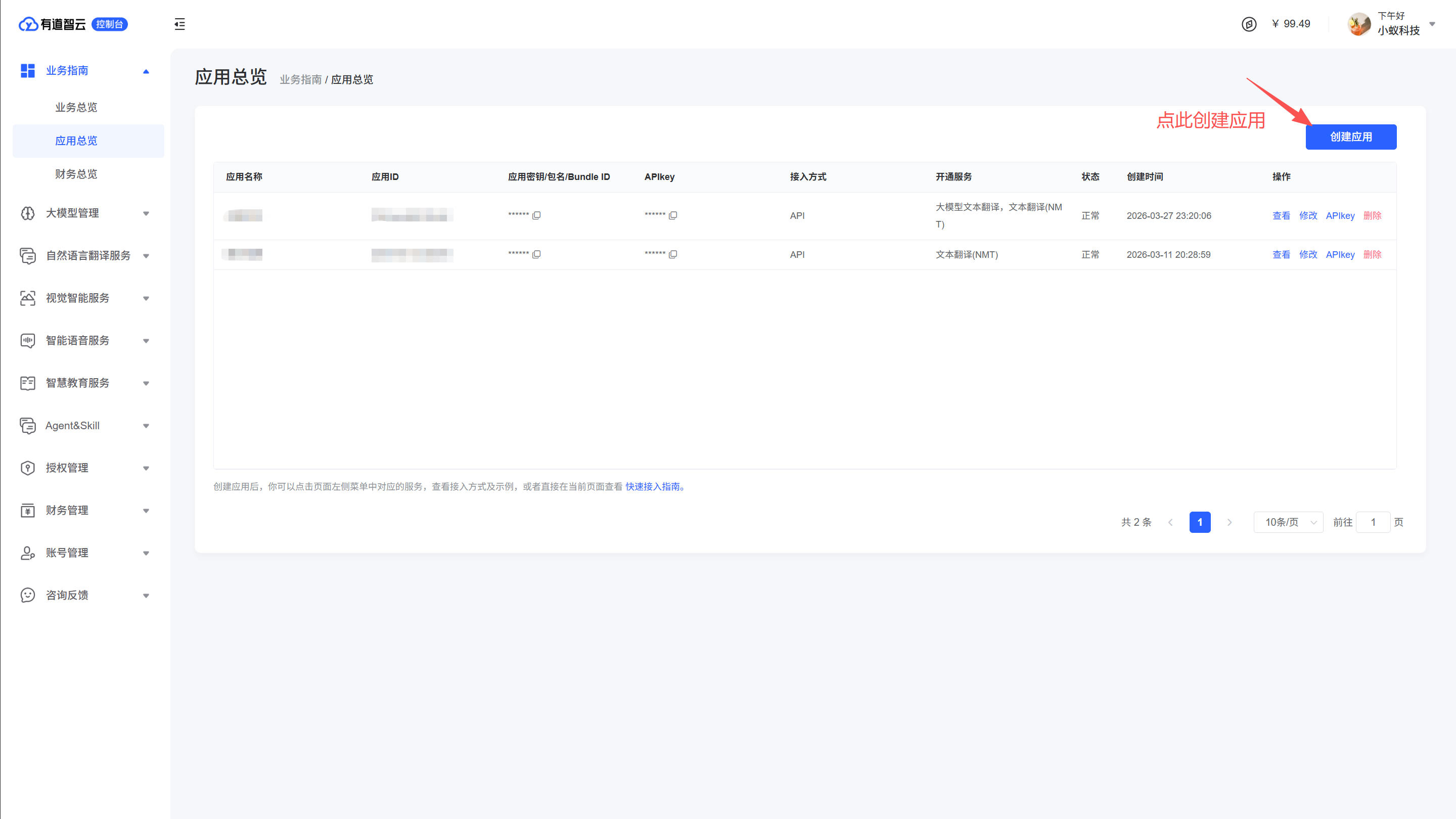
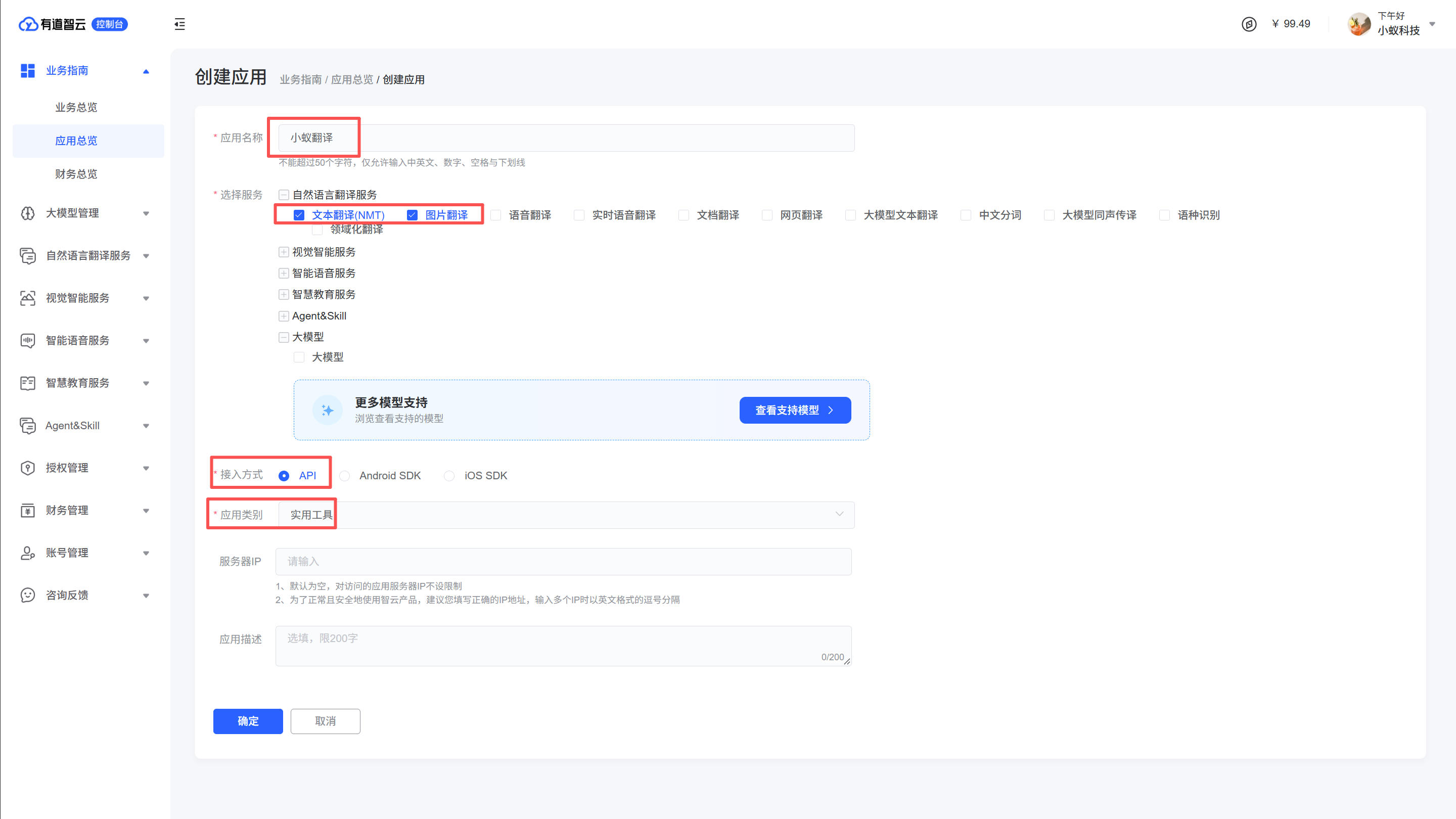
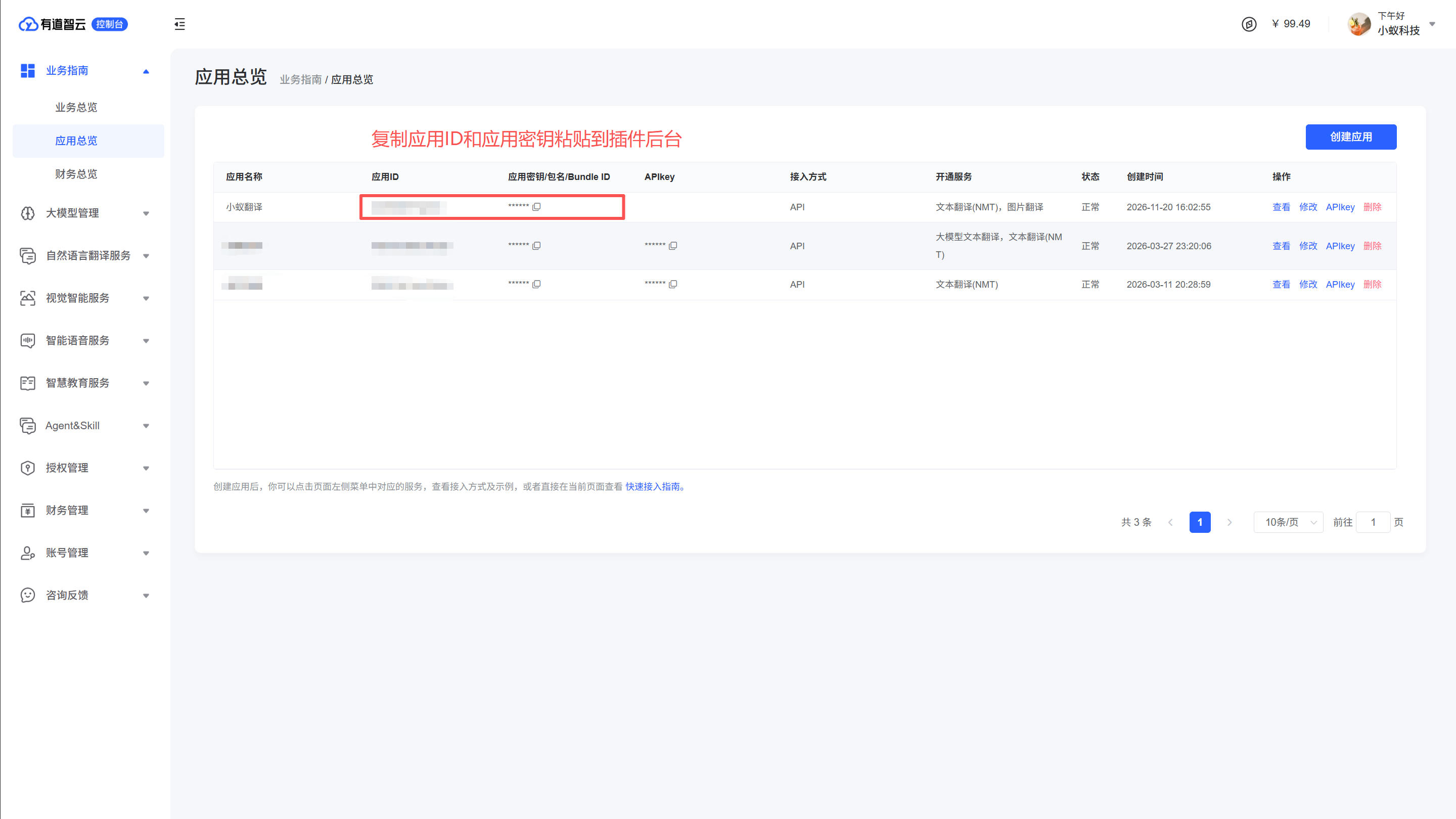
2. Youdao Smart Cloud Application Portal: https://ai.youdao.com/console/
Please open the above website, follow the prompts to register, and then open the application overview page.https://ai.youdao.com/console/#/app-overview