Discuss! Plugin Xiaoyi TV Live
Xiao Yi TV Live is an app for Discuz! IPTV channel management and online streaming plugin for the forum. Website owners can import self-maintained or legally licensed playback sources, providing users with an online TV page that integrates channel browsing, HLS playback, program lists, favorites, and viewing history.
Note: Before purchasing this plugin, please ensure you have a certain understanding of live streaming-related technologies and parameters.
This plugin does not come with any data sources by default. Please do not request a refund on the grounds that you cannot provide an online live data source. Please search for relevant sources yourself through AI or search engines, and it is recommended to filter the sources before uploading them to the backend.
Xiao Yi TV Live is an app for Discuz! IPTV channel management and online streaming plugin for the forum. Website owners can import self-maintained or legally licensed playback sources, providing users with an online TV page that integrates channel browsing, HLS playback, program lists, favorites, and viewing history.
The plugin supports M3U/M3U8, TXT playback sources, and XMLTV program lists. It offers three themes: minimalist light colors, cinema dark colors, and technological blue, and is compatible with computer and mobile browsing. The front-end supports switching between Simplified Chinese, Traditional Chinese, English, and Korean, and can display channel lists, players, and current programs through a DIY module.
Demo address:https://fjxiaoyidzx50.fqlook.cn/plugin.php?id=fjxiaoyi_tv
Main functions:
- Playback source management: Supports remote subscriptions, paste text, and local file import, and can be updated manually, access-triggered, or scheduled.
- Channel and line management: Supports categorization, sorting, multi-line switching, as well as batch categorization, hiding, freezing, recovery, and deletion.
- Program List Display: Supports XMLTV import, displaying a list of current programs, next programs, and channel programs.
• User interaction: Supports channel favorites, recent views, and channel sharing.
- Appearance and operation: Supports theme backgrounds, brand logos, watermarks, SEO information, and ad placement settings.
• Portal Integration: Offers channel lists, players, and programming DIY modules.
Compatible with Discuz! X3.4 / X3.5 / X5.0, requires PHP 7.4 and above, only supports SC_UTF8 / TC_UTF8 forums. Playback sources, playlists, and external images must use HTTPS. The plugin does not have a built-in live stream source; website owners must provide their own legally authorized content. The actual playback effect depends on the source site, cross-domain configuration, and browser decoding capabilities.
V1.1.3
Fixed an issue where channel names were escaped when entering page titles, improving the security of subscription content display.
Fixed an issue where the DIY player and program list modules were incorrectly displayed as channel lists.
Optimize the batch import of channels, categories, lines, and program lists to reduce database requests.
Optimize the current program query to only query the program data needed for this channel.
Adjust the program list update process: Write all new programs before switching the display, and retain the old programs if the import fails.
Optimize the channel association data deletion logic to retain shared channels that are still being used by other sources when deleting playback sources.
Add content update locks to reduce concurrent conflicts between management operations and automatic refreshes.
V1.1.2
Optimize the uninstallation process and explicitly select "Retain business data" or "Delete all business data" before uninstalling.
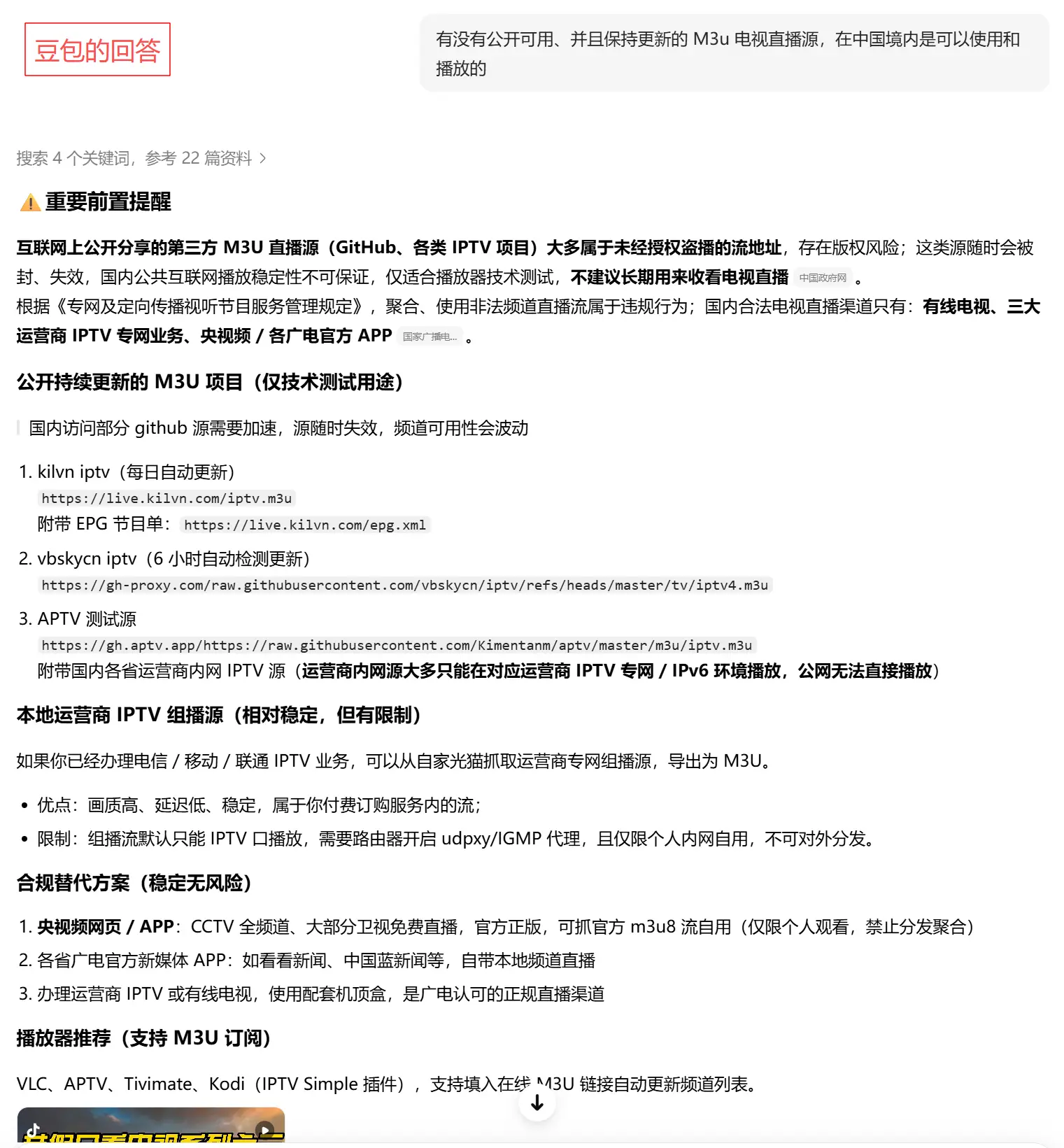
1. Note that this plugin does not include a source. Website owners need to search for it online themselves. For example, I asked Doubao: Is there a publicly available and updated M3u TV live stream source that can be used and played in China? Doubao gave the following answer, as shown in the screenshot:
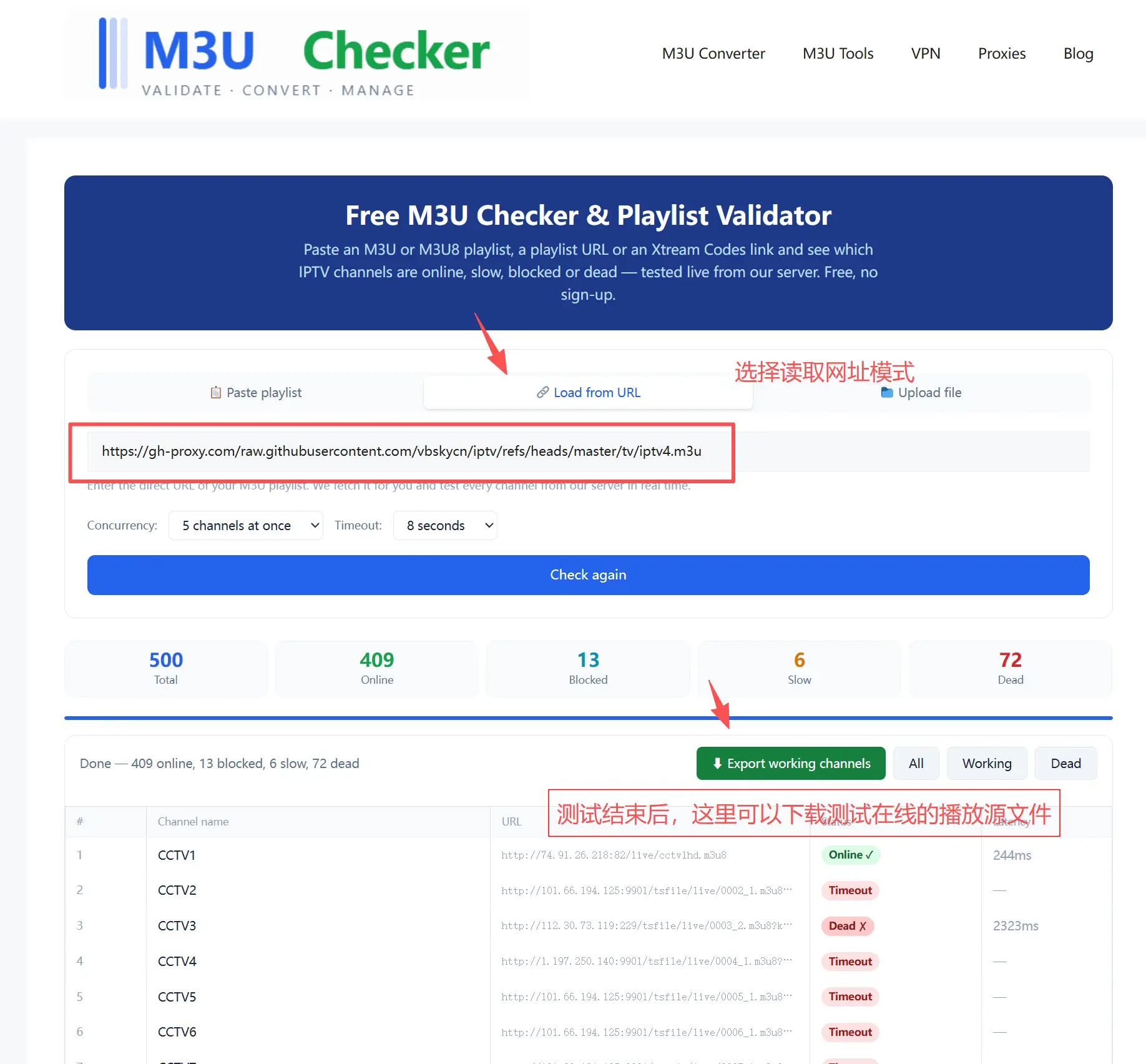
2. Upload the AI-generated source to a third-party testing website for validity testing, such as https://m3uchecker.com/. Detailed steps are shown in the image below:
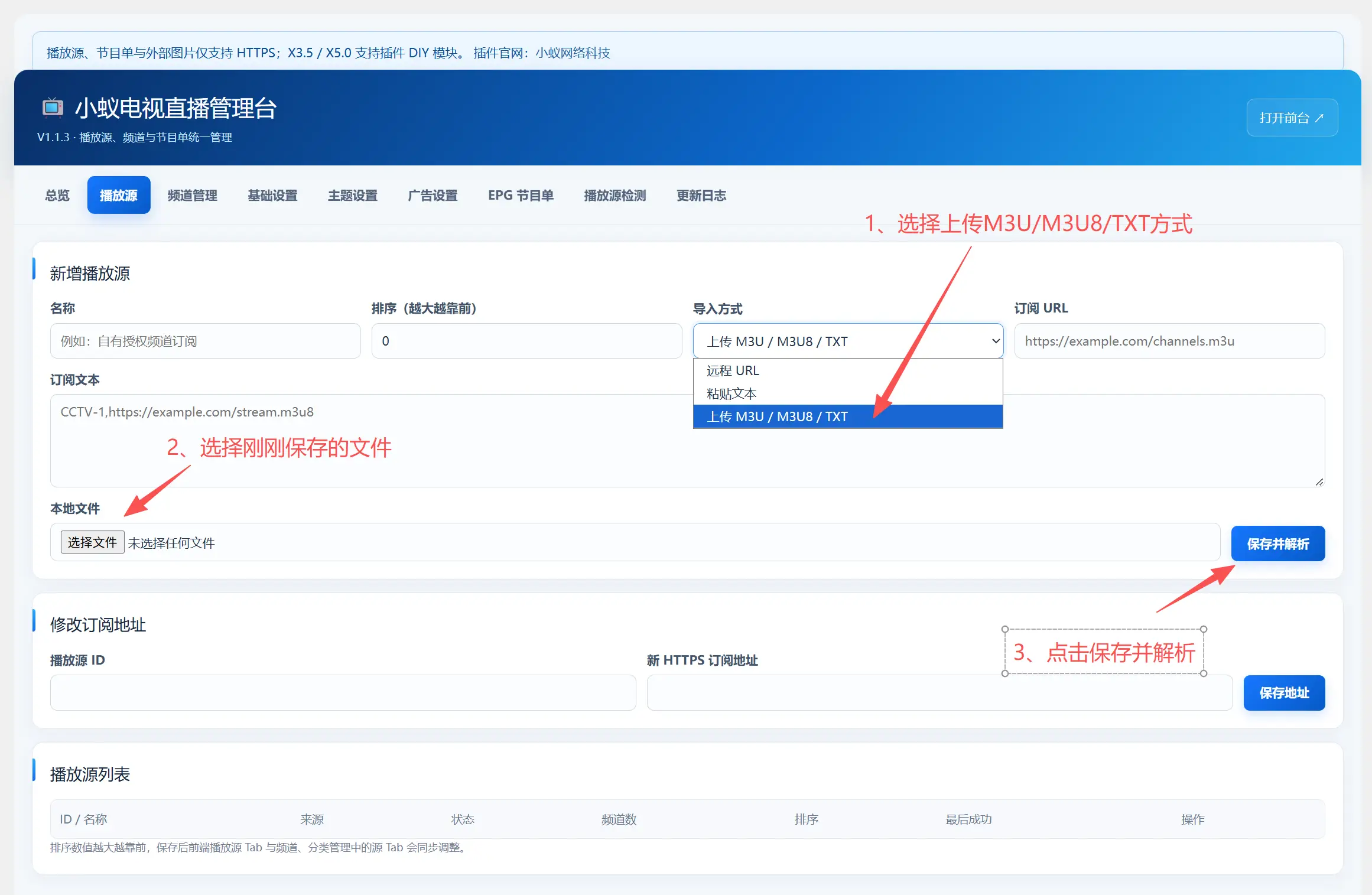
3. Download the package with the above test results to your local device, select the playback source to add in the plugin backend, select upload M3U/M3U8/TXT as the import method, select the file you just saved, and click save and parse. At this point, you can see that the channel has been added in the channel management.